System Checker 2.1

Check your PC before launching a cheat

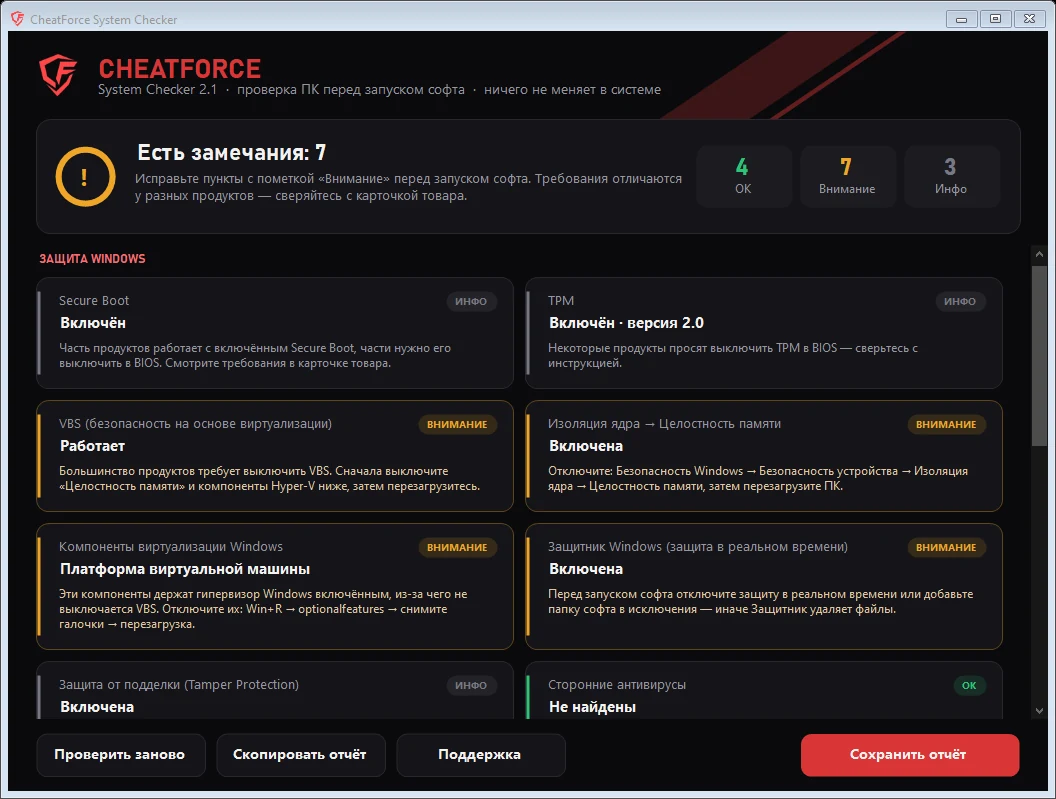
In a minute, Checker reviews Windows security, anti-cheats, BIOS and drivers and shows exactly what is blocking the launch and how to fix it. It only reads settings: it doesn't disable, delete or change anything.

Checks
45+
System
Windows 10 / 11
Size
< 150 KB
Installation
not needed
CheatForce System Checker window with check results
What gets checked

Over 45 checks in five groups

Windows security

The things that most often block a launch. Each item tells you where to turn it off.

  • Secure Boot and TPM
  • VBS, Memory Integrity and Credential Guard
  • Hyper-V, Sandbox and WSL, which keep VBS from turning off
  • Defender, Tamper Protection and exclusions
  • Third-party antivirus
  • Vulnerable driver blocklist, Smart App Control
  • SmartScreen, UAC and test mode

Anti-cheats

Finds installed anti-cheats, including those that load with Windows.

  • Riot Vanguard
  • FACEIT and ESEA
  • ACE (Delta Force, Arena Breakout)
  • Easy Anti-Cheat and BattlEye
  • GameGuard, XIGNCODE3, PunkBuster

Programs and components

What the loader can't start without and what is blocking it right now.

  • Visual C++ 2015–2022 x64 and x86
  • .NET Framework 4.8 and DirectX
  • Running debuggers: Cheat Engine, Process Hacker and others
  • Overlays: RivaTuner, Afterburner, Overwolf
  • Steam and Discord

System

Common reasons why "nothing happens" after launch.

  • Windows version, build and bitness
  • Running in a virtual machine
  • Pending restart after updates
  • Cyrillic characters in the user name
  • Free space, Fast Startup, uptime

Hardware and display

Everything support usually asks about, in one report.

  • CPU, GPU and driver date
  • BIOS mode (UEFI / Legacy) and disk partition style
  • Drives, memory, motherboard
  • Monitors, refresh rate and display scaling
  • GPU acceleration, Game Mode and Game Bar recording

How to use it

Three steps

  1. 01
    Download and unzip

    The archive is under 150 KB, no installation needed.

  2. 02
    Run CheatForce-Checker.exe

    Preferably as administrator: that way TPM gets checked too. The check takes up to a minute.

  3. 03
    Fix the "Warning" items

    Each issue comes with instructions on what to do. If that doesn't work, click "Save report" and send report.txt to support.

Result

How to read the marks

  • OK

    This setting doesn't block the launch.

  • Warning

    Likely to block the launch: fix it using the tip under the item.

  • Info

    Depends on the product — check the requirements on its product page.

If Windows shows a warning

Checker is a small program without a digital signature, so SmartScreen may show the "Windows protected your PC" window. Click "More info" → "Run anyway". The program works offline and sends nothing: the report is saved only on your desktop, and you decide whether to show it to support.