FACEIT Lagswitch Desync cheat for Counter-Strike 2 on Windows
Undetected
Purchase
FACEIT Lagswitch Desync for Counter-Strike 2: system requirements
About FACEIT Lagswitch Desync for Counter-Strike 2
FACEIT Lagswitch Desync is a network lag switch for Counter-Strike 2 designed for FACEIT matches. At the press of a key it briefly blocks the game's traffic: opponents freeze in place for a few seconds, giving you time to change position, throw a grenade or shoot.
The block lasts on a timer, until the key is pressed again, or while the key is held. You can choose the traffic direction, UDP or TCP protocol, lag duration and the pause before the next activation. Kick Bypass splits the lag into short repeats so the game doesn't kick you for a bad connection, and a randomizer varies the duration.
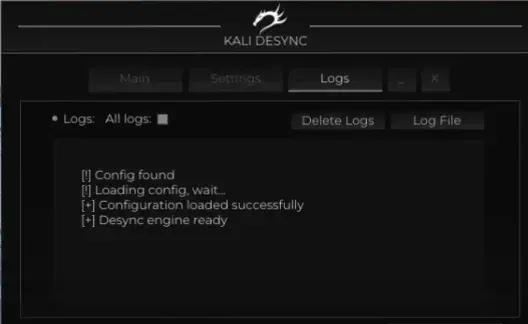
The firewall can be used instead of the driver, and a sound confirms activation. Settings are saved to a config, and a log keeps the block history. Requires Windows 10 or 11 and an Intel or AMD processor; any window mode.
Features of FACEIT Lagswitch Desync for Counter-Strike 2
- enables desync and the other lag switch features.
- an assignable key for enabling features and starting the block.
- a sound signal on activation and other actions.
- blocking via the firewall instead of the driver; the game path is set in the Path field.
- modes: Temporary (on a timer), Pressing (until pressed again) and Hold (while the key is held).
- choice of traffic to block: Outbound or Inbound.
- blocking over the UDP or TCP protocol.
- desync duration for Temporary mode.
- a pause after a block before desync can be enabled again.
- splits the block into repeats (Duration, Separator, Iterations) so the game doesn't kick you for a bad connection.
- randomly varies the block duration.
- restores your internet connection if something goes wrong.
- saving current settings and resetting to defaults.
- activation log, software status output and deleting log files.