Hyper cheat for DayZ on Windows
Undetected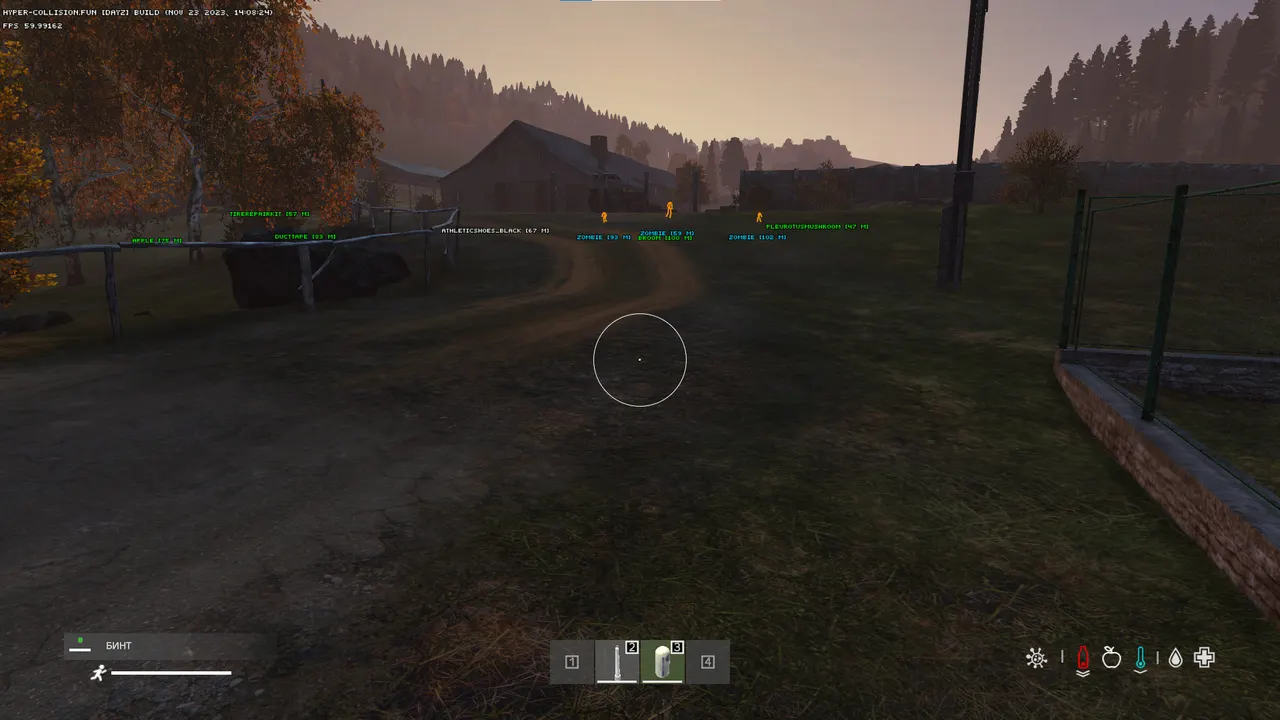
Purchase
Hyper for DayZ: system requirements
About Hyper for DayZ
Hyper is a cheat for DayZ: the aimbot helps track the selected target, while Silent Aim lands hits without noticeable movement of the crosshair and camera. FOV size and maximum range are adjustable, and a separate key is assigned for aiming.
The wallhack on players and zombies shows skeleton, a head dot, corner boxes, lines and distance. Loot ESP displays weapons, clothing, magazines, ammo boxes, containers, vehicles, animals and buildings, and items are filtered by quality. The Misc section includes a free camera, grass removal, teleport to loot and speedhack.
The cheat runs on Windows 10 and 11 starting from build 2004, on Intel and AMD, in windowed or borderless mode, for the Steam version of the game. An HWID spoofer is built in, and no USB flash drive is needed. UEFI, a GPT disk and enabled virtualization (VT-d, VMX, VT-x, SVM) are mandatory.
Features of Hyper for DayZ
- Helps you track the selected target more precisely based on your aim settings.
- Corrects hits on the selected target without visible crosshair or camera movement.
- "FOV (field of view) setting" — sets the size and maximum range of the selected module's working area.
- Lets you assign a convenient key to turn on aiming during a fight.
- The "Visuals" setting controls the corresponding option of the product.
- Adds zombies to the visual filter and helps you spot them early.
- Shows players in ESP and helps you keep track of where they are around your character.
- Shows the distance to the marked target or object.
- Shows the target's skeleton so you can read its position and movement faster.
- Adds a separate head marker to the target so you can read its position more precisely.
- Outlines the target with a corner box and keeps the screen readable while you move.
- Draws a guide line to the marked target or object.
- "Max distance slider" — sets the size and maximum range of the selected module's working area.
- Adds the "Loot" category to the loot filter, so the items you need are found faster.
- Shows animals among world objects with a separate visual marker.
- Adds buildings and key environment elements to the visual filter.
- Adds the "Items" category to the loot filter, so the items you need are found faster.
- Adds the "Containers" category to the loot filter, so the items you need are found faster.
- Shows available vehicles and helps you find them on the map faster.
- Adds the "Weapon" category to the loot filter, so the items you need are found faster.
- Adds the "Clothing" category to the loot filter so you find the items you need faster.
- Adds the "Ammo boxes" category to the loot filter, so the items you need are found faster.
- Adds the "Item quality" category to the loot filter so you find the items you need faster.
- Adds the "Magazines" category to the loot filter, so the items you need are found faster.
- The "Misc" setting controls the corresponding option of the product.
- Lets you look around freely with the camera within what the product allows.
- Removes grass so objects and targets stand out more.
- Moves your character to the selected object as the product's workflow allows.
- Adjusts your character's movement speed within the available limits.