Pussycat cheat for Once Human on Windows
Undetected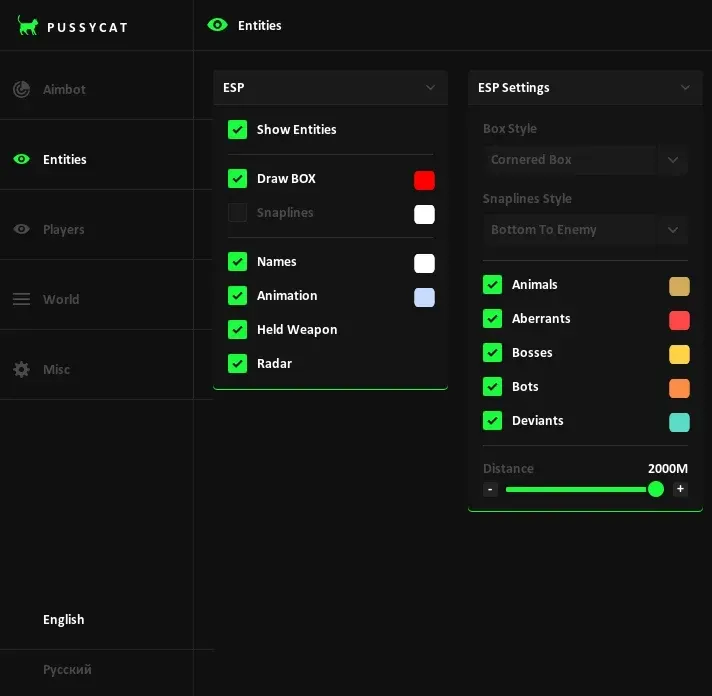
Purchase
Pussycat for Once Human: system requirements
About Pussycat for Once Human
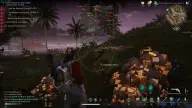
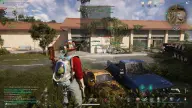
The private Pussycat cheat is made for the PC version of Once Human. Its aimbot is complemented by three types of ESP: players, creatures and world objects. The aim locks onto both other survivors and mobs; hitbox, key, smoothing, range and FOV radius are set in the menu, and the FOV circle can be drawn on screen with a fill.
Player ESP draws boxes, lines, skeleton, nickname and weapon in hand, and can hide dead players. Creatures can be filtered: animals, Aberrants, bosses, bots and Deviants. World ESP on the F3 key finds chests, containers, puzzles, teleports, Rift Anchors, Stardust, ore, stones, berries, mushrooms and vehicles, and the mini radar shows all of this around your character.
The overlay is not visible in OBS recordings; there is no built-in spoofer. Requires Windows 10 or 11 Pro edition (21H2–25H2), an Intel or AMD processor, and the game in windowed mode.
Features of Pussycat for Once Human
- aims at the target on an assigned key.
- the body point the aim targets.
- the aim locks onto other survivors.
- the aim works on mobs and other creatures in the world.
- enables smooth aim adjustment and controls its strength.
- the maximum distance at which the aim looks for a target.
- draws the target acquisition circle on screen.
- fills the FOV circle with color.
- sets the radius of the area in which the aim looks for a target.
- visuals for mobs and creatures: boxes, lines, names.
- animals, Aberrants, bosses, bots and Deviants are toggled individually.
- boxes, lines and skeletons of other players.
- shows the nickname above each player.
- shows what a player or creature is holding.
- displays the target's current animation.
- box and line appearance is configured separately for players and creatures.
- visuals are drawn on your own character too.
- removes dead players from ESP.
- separate distance limits for players, creatures and world objects.
- toggled with the F3 key, labels world objects with adjustable size.
- marks loot storage.
- highlights items you can interact with.
- shows travel points on the map.
- marks puzzles in locations.
- berries, stones, mushrooms and ore.
- highlights Stardust sources.
- story records and facilities on the map.
- spots where you can fish.
- displays effect objects from the Particles category.
- dropped items and vehicles.
- a mini radar with players, creatures and objects; position, size and range are adjustable.
- separately for players, creatures and World ESP.
- a custom crosshair with adjustable thickness and size.
- reduces the load from rendering visuals.
- saving and loading settings.
- the menu opens with its own key, and the cheat unloads from the game with a single command.