Ancient cheat for Delta Force on Windows
Undetected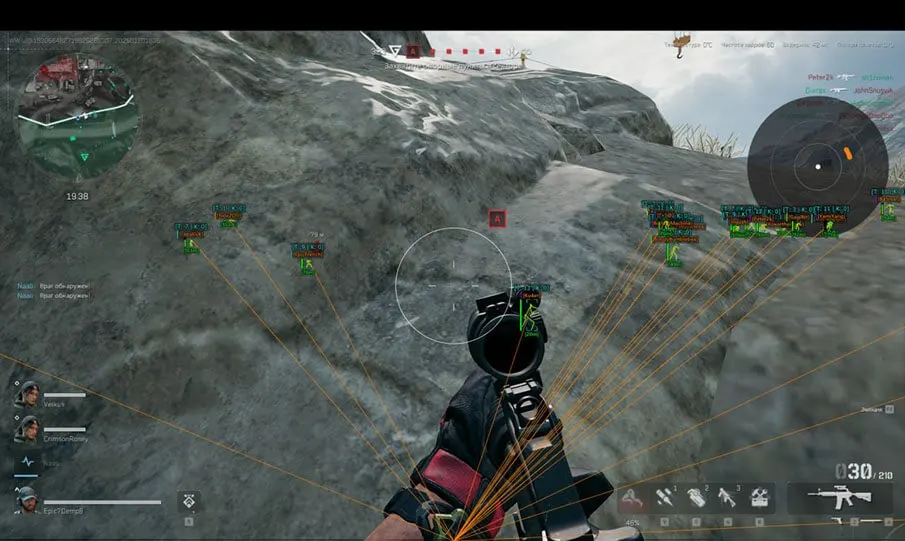
Purchase
Ancient for Delta Force: system requirements
About Ancient for Delta Force
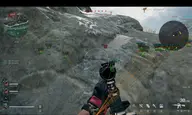
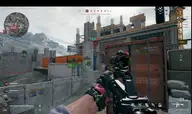
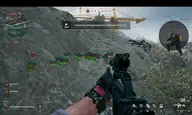
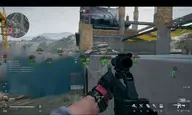
Ancient is a cheat for Delta Force with an aimbot in two modes: static moves the crosshair in a straight line, curved moves it along a less predictable path. There are two activation keys, FOV, smoothness, a choice of head, neck or body, nearest and forced bone, prediction, target lock and aiming at knocked-down players.
The wallhack shows boxes, skeleton, health, nickname, team, kill count and weapon; targets behind walls are colored differently, and bots are configured separately. Loot ESP marks keycards, Mandel Brick, safes, Dead Drop stashes, computers and gear with price and rarity, and the filter works by value. There is also no recoil, spray control, a radar and StreamProof.
Compatible with Windows 10 from 1903 and Windows 11 up to 25H2, Intel and AMD, borderless mode. Clients: Steam, Epic Games, Global, Garena and WeGame. There is no spoofer, and no USB flash drive is needed.
Features of Ancient for Delta Force
- enable aim.
- regular aim that moves in a straight line.
- advanced aim that moves more randomly.
- bind 2 keys to activate the aim (hold).
- size of the area where the AIM works.
- show the aim area on screen.
- color of the circle that shows the aim area.
- smooths aim movement; the higher the value, the weaker the aim.
- choose the body parts to aim at (head, neck, body).
- aim at the body part (hitbox) closest to the crosshair.
- switch the AIM to a specific body part.
- key to switch the body part.
- fire only at targets in direct line of sight.
- keeps the aim locked on a target until it's killed or you stop firing.
- aim at downed enemies.
- predicts the enemy's movement path.
- wallhack that shows players.
- distance to enemies in meters.
- Player ESP range.
- enemies behind walls and in line of sight are shown in different colors.
- ESP as boxes.
- wallhack as skeletons.
- skeleton line thickness.
- show player HP as a bar.
- WH as lines from you to enemy models.
- player nicknames.
- the player's team.
- the player's kill count.
- radar window that shows players.
- radar window size.
- ESP for bots with separate settings and filters.
- show downed characters.
- weapons in enemies' hands.
- turns loot ESP on and off.
- lets you bind a hotkey to quickly toggle loot display.
- lets you change the item display color.
- lets you set the maximum loot display distance (adjustable).
- enables filtering items by value.
- lets you set a minimum or maximum item value to display, depending on the selected mode (adjustable).
- sets how items are filtered by price (below, above).
- applies the display settings to all item categories at once.
- shows weapons.
- shows weapon mods and attachments.
- shows ammo.
- shows resources and materials.
- shows consumables.
- shows keycards.
- shows items from the valuables category.
- shows backpacks.
- shows helmets.
- shows body armor.
- shows containers and chests.
- shows Dead Drop stashes.
- shows computers.
- shows safes.
- turns on display of the selected item category.
- shows the item name.
- shows the distance to the item.
- shows the item value.
- shows the item rarity.
- removes weapon recoil when shooting.
- helps control recoil while shooting.
- a static crosshair in the middle of the screen.
- save and load the cheat's settings.
- menu language of the Ancient cheat for Delta Force (English, Chinese).
- fully hides the cheat in video recordings, streams and screenshots.
- choose colors for many of the cheat's visual elements to your taste.
- sets the font size used in ESP.