Arcane cheat for Halloween: The Game on Windows
Undetected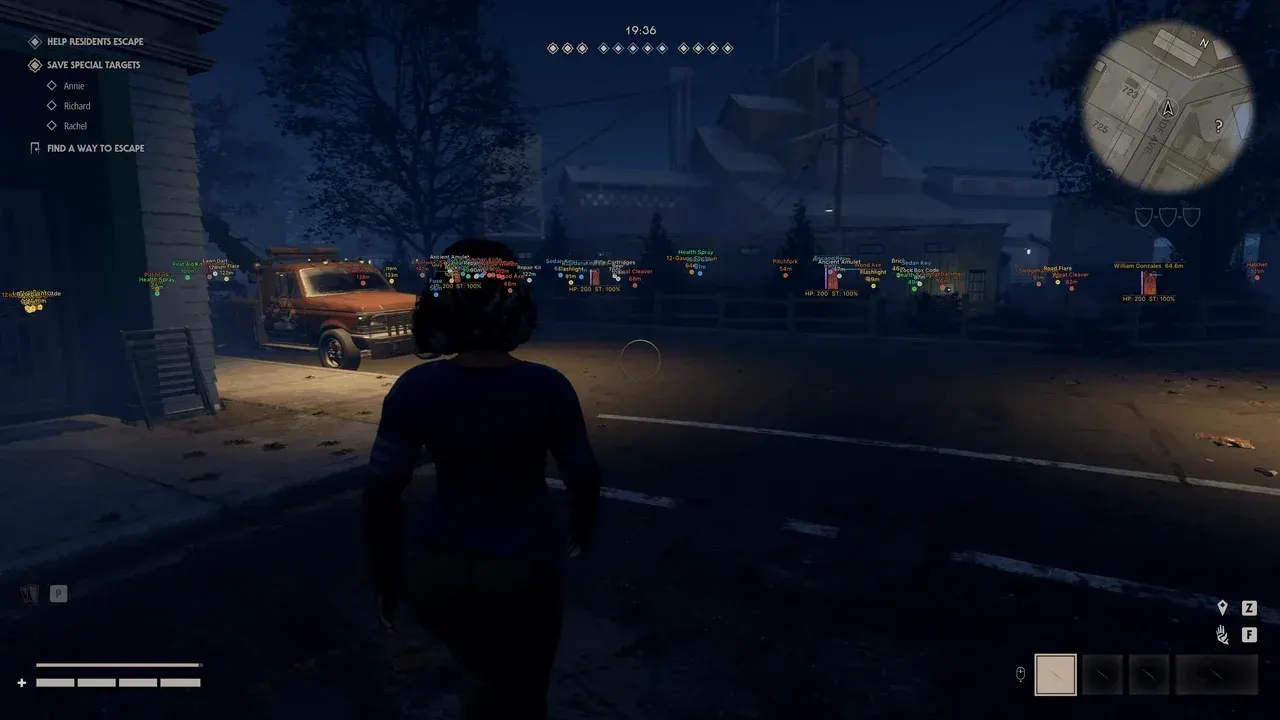
Purchase
Arcane for Halloween: The Game: system requirements
About Arcane for Halloween: The Game
The private cheat Arcane is useful to both sides of a match in Halloween: The Game. It highlights survivors and the killer, helps you find the items you need faster, and offers a flexibly configurable aimbot.
For the aim, you can set the aim mode, target, bone, ignore list, adaptive FOV and its size, smoothing and range. Survivor ESP draws boxes and skeletons, shows the nickname, Team ID, health, stamina, fear, Stalk Level, effects and carry status, and marks knocked players and bots. The killer has a separate ESP with Bloodlust, Detainment and the current target. Item ESP finds weapons, gear, healing items, light sources and escape items, while the radar and Off-Screen indicators show who is nearby.
Requires the Steam version of the game and Windows 10 x64 or 11; Intel or AMD processors are supported, window mode — windowed or borderless. No built-in spoofer.
Features of Arcane for Halloween: The Game
- aims at the selected target, enabled with a toggle.
- aiming activates on the assigned key.
- sets exactly how the aimbot moves your crosshair to the target.
- determines whom the aimbot prioritizes.
- characters on the list are excluded from the aim.
- the body part the aimbot aims at.
- the target acquisition zone adjusts automatically.
- outline and fill of the aim zone on screen.
- the radius of the zone in which the aim looks for a target.
- makes aim correction smoother.
- the aimbot does not activate beyond this distance.
- choose the highlight style for survivors and the killer.
- a box around the model, filled or unfilled.
- bone lines drawn over the character.
- shows where the character is looking.
- connects you to the target on screen.
- a health bar next to the model.
- the exact health value in numbers.
- the player's name above the character.
- the survivor's team number.
- distance to a character or item.
- the survivor's remaining stamina.
- the survivor's fear level.
- the Stalk Level value of each survivor.
- active effects on the character.
- shows whether a survivor is being carried.
- display of teammates, incapacitated players and bots is toggled separately.
- render distance limit, set separately for survivors, the killer and items.
- separate killer highlighting with a box, skeleton and health.
- the killer's Bloodlust meter.
- the killer's Detainment meter.
- shows who the killer is currently chasing.
- firearms and two-handed weapons on the map.
- gear you can pick up.
- light sources.
- healing items.
- items needed to escape.
- other objects you can find during a match.
- adjusts how visible item highlighting is.
- a minimap with selected objects around you.
- circles on the radar for judging distance.
- field-of-view cone on the radar.
- the radar scales by distance and manually.
- fit the radar to your screen.
- arrows pointing to objects beyond the screen edge, with object selection.
- set the radius and size of the indicators.
- removes darkness, making the map bright.
- widens the camera's field of view.
- a custom crosshair in the center of the screen.
- a custom key to open the menu.
- unloads the cheat from the game with a keypress.
- menu interface scale.
- frame synchronization and a cap on rendered frames.