Ignite cheat for Rust on Windows
Updating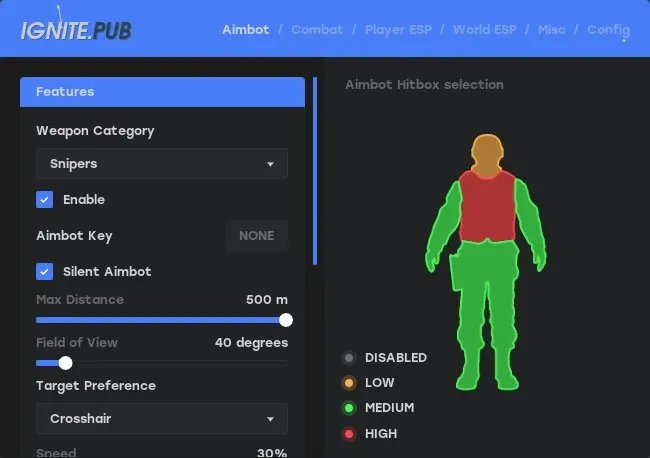
IGNITE is being updated: the developer is releasing a new version. Sales resume as soon as it is out.
Ask about timingIgnite for Rust: system requirements
About Ignite for Rust
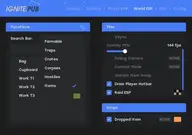
Ignite is a cheat for Rust where the aimbot is configured separately for each weapon category: pistols, rifles, snipers, shotguns, SMGs and others. A regular aim with prediction complements Silent Aim; the target is chosen by crosshair or distance, with Normal and Assistance modes, Dynamic or Sticky lock, custom hitboxes and a visible-only option.
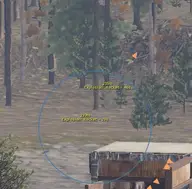
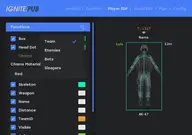
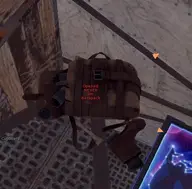
Bows and the Eoka fire instantly, and Rapid Fire plus recoil, sway and spread reduction are set in percent, all the way down to no recoil. The wallhack, with a preview, shows boxes, Chams in six colors, skeletons, weapons, nickname and distance. Stash ESP shows stashes, and there is also Spider-man movement.
Windows 10 (20H2–22H2) and 11 (22H2, 23H2) are supported, with Intel and AMD, though it may not work on AMD FX and Xeon. The mode is windowed or windowed fullscreen, with Steam and EAC. Ignite has no built-in spoofer, and no USB flash drive is used.
Features of Ignite for Rust
- Prediction enabled by default.
- The "Weapon Category: Pistols, Rifles, Snipers, Shotguns, SMG, Others" setting controls the matching product parameter.
- The "Enable" setting controls the matching product parameter.
- Lets you assign a convenient key to turn on aiming during a fight.
- Corrects hits on the selected target without visible crosshair or camera movement.
- "Max Distance" — sets the size and maximum range of the selected module's working area.
- The "Field of View" setting controls the matching product parameter.
- "Target Preference: Crosshair, Distance" — shows the distance to the marked target or object.
- Adjusts your character's movement speed within the available limits.
- The "Mode: Normal, Assistance" setting controls the matching product parameter.
- The "Target Mode: Dynamic, Sticky" setting controls the matching product parameter.
- The "Target Team" setting controls the matching product parameter.
- The "Target Bots" setting controls the matching product parameter.
- The "Target Only Visible" setting controls the matching product parameter.
- The "Ignore Knocked" setting controls the matching product parameter.
- The "Visualize Target" setting controls the matching product parameter.
- "Visualize FOV" — sets the size and maximum range of the selected module's working area.
- "Custom Hitbox Selection" — marks the target with a visual box so you can spot it on screen quickly.
- The "Combat" setting controls the matching product parameter.
- The "Instant Bow" setting controls the matching product parameter.
- The "Instant Eoka" setting controls the matching product parameter.
- The "Instant Compound" setting controls the matching product parameter.
- "Rapid fire: percentage configurable" — saves and loads a set of settings for quick switching between scenarios.
- Reduces recoil and helps keep your weapon steadier while firing.
- "Remove Sway: percentage configurable" — saves and loads a set of settings for quick switching between scenarios.
- Reduces shot spread within the product's available settings.
- Shows players in ESP and helps you keep track of where they are around your character.
- The "Category: Enemy, Team, Bots, Sleepers" setting controls the matching product parameter.
- "Box" — marks the target with a visual box so you can spot it on screen quickly.
- Highlights the selected models with a bright material for better visibility.
- Adds a separate head marker to the target so you can read its position more precisely.
- Shows the target's skeleton so you can read its position and movement faster.
- The "Weapon" setting controls the matching product parameter.
- "Distance" — shows the distance to the marked target or object.
- The "Name" setting controls the matching product parameter.