Covcheg Rust External cheat for Windows
Undetected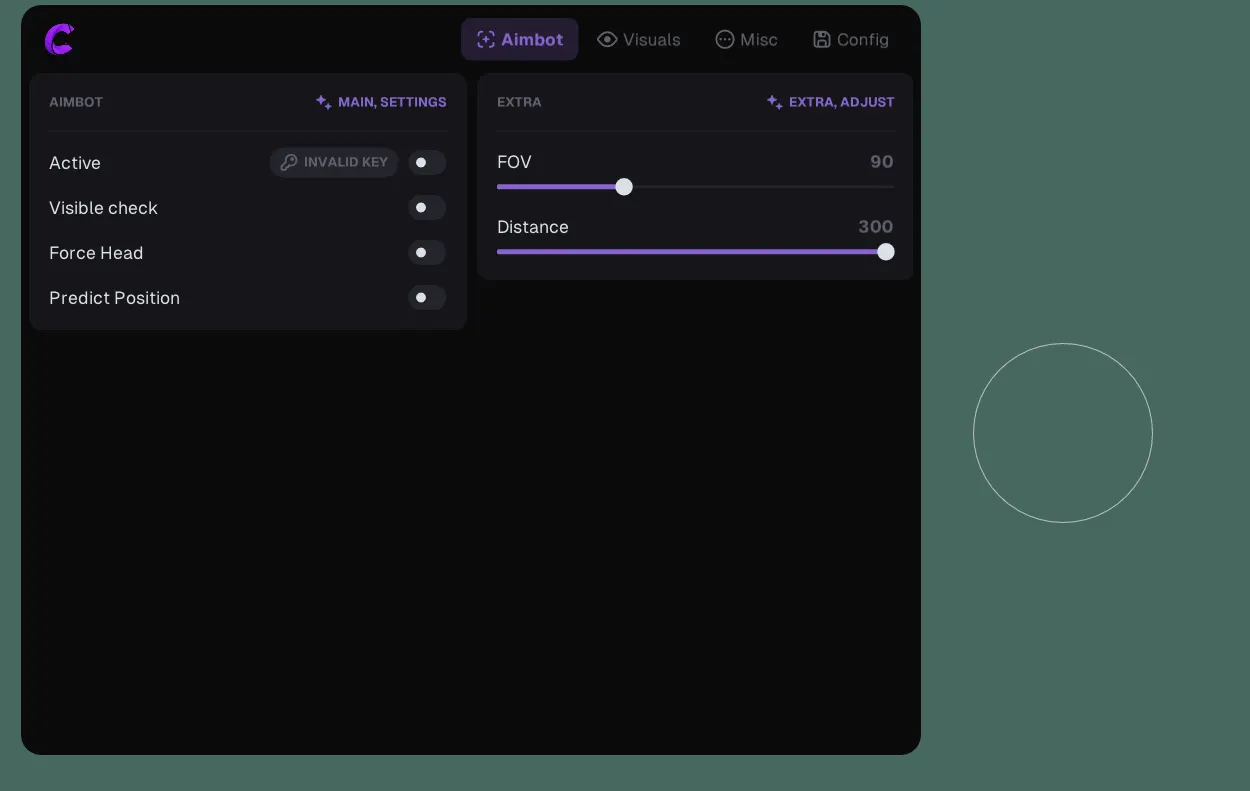
Purchase
Covcheg Rust External: system requirements
About Covcheg Rust External
Covcheg Rust External is an external cheat for Rust with vector aim or Silent Aim. Vector mode moves the crosshair smoothly, while Silent Aim hits the target inside the FOV without moving the crosshair. The aim triggers on key hold, checks visibility, can hit the head only and calculates target lead; FOV and range are adjustable. Recoil and shake are removed, giving you no recoil.
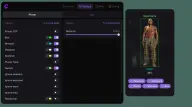
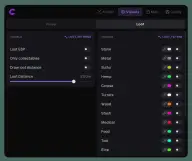
Wallhack: Chams, boxes, skeleton, nicknames, weapons, target type, a 6-slot hotbar and a reload bar; sleepers, wounded players, allies and bots can be hidden. Loot ESP marks ore, hemp, stashes, crates, turrets, corpses, backpacks and minicopters. Other features include Zoom-Hack, Insta Eoka, FOV change, Bright Night and unloading without restarting the game.
Requires Windows 10 or 11, Intel or AMD, Nvidia or AMD, and Steam. The loader runs only from a USB flash drive, and there is no built-in spoofer.
Features of Covcheg Rust External
- turns the aimbot on and off.
- how the aimbot works (vector or silent).
- the familiar, natural type of aim with smooth crosshair movement.
- bullets reach targets within the FOV without the crosshair moving.
- aimbot activation key (hold the button).
- aims only at enemies in direct line of sight, ignoring targets behind obstacles.
- forces the aimbot to aim only at the enemy's head (when off, it aims at the body).
- automatically calculates lead on moving targets, improving accuracy at range.
- lets you set the aimbot's target search area (adjustable).
- limits the maximum distance at which the aimbot finds and tracks targets (adjustable).
- fully remove weapon recoil and shake.
- enables the player ESP system.
- a wallhack type that fully fills player models with the chosen material (adjustable).
- draws a frame around player models (box wallhack).
- shows the weapon the player is holding.
- shows the player model's skeleton so you can tell exactly where body parts are.
- shows the type of detected player (e.g. regular player, bot or NPC).
- shows player nicknames above their models.
- hides sleeping players from ESP.
- hides wounded players.
- doesn't show your team members.
- hides bots and NPCs from the ESP.
- shows a reload indicator for players' weapons.
- shows players' hotbar items (6 items).
- maximum Player ESP distance (adjustable).
- a separate window to the right of the cheat menu that previews your wallhack settings.
- enables the item and resource ESP system.
- shows only items you can pick up.
- shows the distance to each displayed item.
- shows stone nodes.
- shows metal ore nodes.
- shows sulfur ore nodes.
- shows hemp plants.
- shows player and NPC corpses.
- shows auto turrets.
- shows wood resources.
- shows hidden stashes.
- shows medicine and healing items.
- shows food.
- shows red crates.
- shows various containers with valuable loot.
- shows minicopters.
- shows player bags/backpacks.
- lets you see better when zooming in (zoom hack, on a key press).
- enable a custom crosshair on top of the screen.
- instant Eoka shot with no misfires.
- lets you adjust the field of view (above/below the game's limits).
- disables texture layers on player buildings.
- makes nights very bright and pretty.
- lets you force a different time of day on the server (only for you).
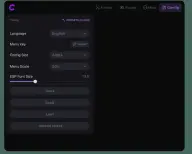
- lets you choose the mod menu interface language.
- lets you bind the key that opens and closes the menu.
- lets you choose the slot where the config is stored.
- changes the mod menu interface scale.
- lets you set the font size of ESP elements.
- saves the current settings to the selected config slot.
- loads a previously saved config.
- loads a separate config with Loot ESP settings.
- fully unloads the mod menu from RAM without having to restart Rust.