Mason Full cheat for Apex Legends on Windows
Updating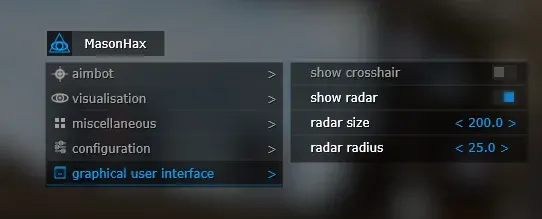
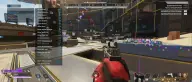

MASON FULL is being updated: the developer is releasing a new version. Sales resume as soon as it is out.
Ask about timingMason Full for Apex Legends: system requirements
About Mason Full for Apex Legends
Mason Full for Apex Legends is the version with a menu, where every block is turned on separately, unlike the hotkey-only Mason Lite. The aimbot works on a key within a set radius, guides the crosshair with the selected smoothness to the body part you pick, switches to the next enemy by itself and skips knocked players.
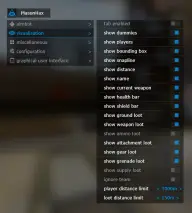
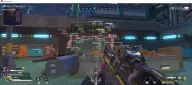
ESP shows players and dummies, and gives enemies a box, a line, health and shield bars, class, weapon and distance; teammates can be hidden. Loot is highlighted by group: weapons, ammo, attachments, armor, grenades, medkits and shields. Names are shown on a key, and there is a rarity filter (common, rare, epic).
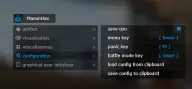
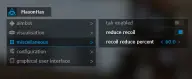
Recoil is reduced by a set percentage. There is a CPU saving mode, a panic key and a battle mode that shows players only; the config is saved to and loaded from the clipboard. It is hidden from recordings and screenshots and made for Easy Anti-Cheat and Steam. It runs on 64-bit Windows 10 and 11 (2004–26H1; not guaranteed on Windows 11 24H2) in windowed or borderless (windowed fullscreen) mode. UEFI, GPT, VT-x/VT-d, Hyper-V, a USB flash drive and Secure Boot turned off are required.
Features of Mason Full for Apex Legends
- aims at the enemy on an assigned key.
- sets the zone in which the aimbot looks for a target.
- adjusts how fast the crosshair is brought onto the enemy.
- picks the body part the aim goes to.
- after a target, the aim moves on to the next enemy in the radius by itself.
- the aimbot does not lock onto knocked enemies.
- shows opponents and shooting dummies.
- a box around the enemy and a line leading to him.
- each enemy's HP and shield shown as bars.
- the enemy's class name, his weapon and the distance to him.
- squad mates are not shown in ESP.
- a separate draw distance for players and for items.
- highlights weapons, ammo, attachments, armor and grenades on the ground.
- a separate loot group with consumables for healing and shield recovery.
- item names are shown on an assigned key.
- hides loot below the chosen tier: common, rare or epic.
- reduces weapon recoil by a set percentage.
- a mode that lowers the cheat's CPU load.
- a dedicated key that opens the settings menu.
- turns the cheat off instantly with one press.
- on a key, switches ESP to showing players only.
- a config can be saved to the clipboard and loaded back.