Mason Void cheat for WARDOGS on Windows
Updating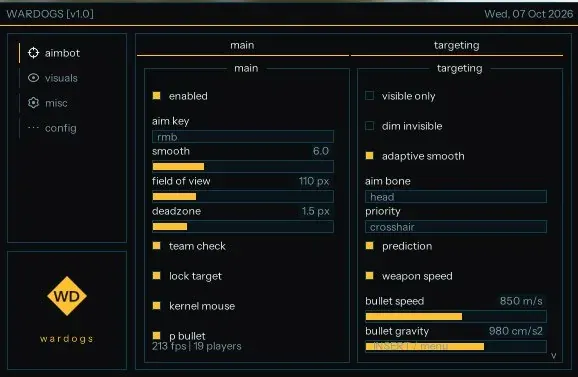

MASON VOID is being updated: the developer is releasing a new version. Sales resume as soon as it is out.
Ask about timingMason Void for WARDOGS: system requirements
About Mason Void for WARDOGS
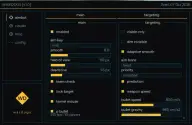
In Mason Void for WARDOGS the aimbot works with ballistics, and a radar is added to the player and vehicle ESP. The aim activates on its own key, smoothing is manual or adaptive, and there is an FOV radius, a dead zone, target lock and a teammate filter. The aim can be limited to visible targets, with a choice of bone and priority; there is a Kernel Mouse mode that emulates mouse movement through the kernel, and the correction accounts for weapon speed, bullet speed and bullet drop.
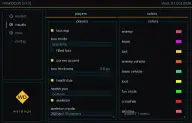
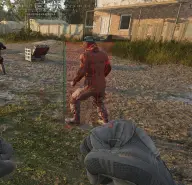
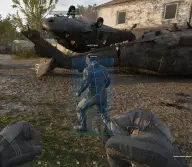
The ESP draws a box around the player, including a bracket style, optionally filled and with highlighted corners, and shows a health bar and skeleton. Enemy and friendly vehicles are toggled separately, with their occupants visible; loot is shown up to a set distance.
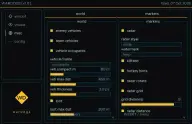
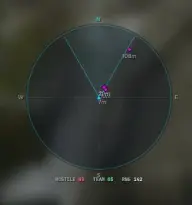
The radar, with its grid and distance display, can be made round and rotated with the player's direction; there is also a kill feed and hotkey hints. It runs on Steam in windowed mode, on Intel and AMD, under Windows 11 21H2–23H2 and 10 2004–22H2. The cheat is built for the game's own anti-cheat, the cheat's overlay is not visible in videos or screenshots, and no USB flash drive is required.
Features of Mason Void for WARDOGS
- aiming at enemies is enabled in the menu and activates on the assigned key.
- aim smoothing is set by hand or switched to adaptive mode.
- the radius of the area where the aim works, plus an aiming dead zone.
- teammates are excluded from the target list.
- the aim holds on to the chosen enemy.
- mouse movement is emulated at the system kernel level.
- a P Bullet mode in the main aimbot settings.
- optionally the aim takes only visible targets, and non-visible ones can be dimmed.
- a choice of the bone the aim targets.
- target selection priority and aim redirection.
- correction for weapon speed, bullet travel speed and bullet drop.
- a box around the player with a choice of mode, including brackets; fill and corner highlighting are separate toggles, and line thickness is adjustable.
- the player's health bar with a choice of its position.
- the player skeleton with a choice of display mode.
- separate colours for enemies, teammates, bots, enemy and friendly vehicles, and loot.
- a separate colour for the FOV circle, the extra crosshair and the aim line.
- enemy and friendly vehicles are toggled separately, with a choice of info display mode and element thickness.
- you can see who is inside each vehicle.
- the compact-view threshold and the maximum draw range for vehicles.
- items on the map with a maximum distance limit.
- an on-screen radar with selectable style, including round, that can rotate with the player's direction.
- a grid with an adjustable number of divisions, plus a distance display on the radar.
- a kill feed over the game screen.
- hotkey hints and a Hero-style watermark.
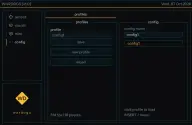
- creating, saving and reloading the list of settings profiles.
- each config gets its own name and loads with a click on its profile.