Mason cheat for Deadlock on Windows
Undetected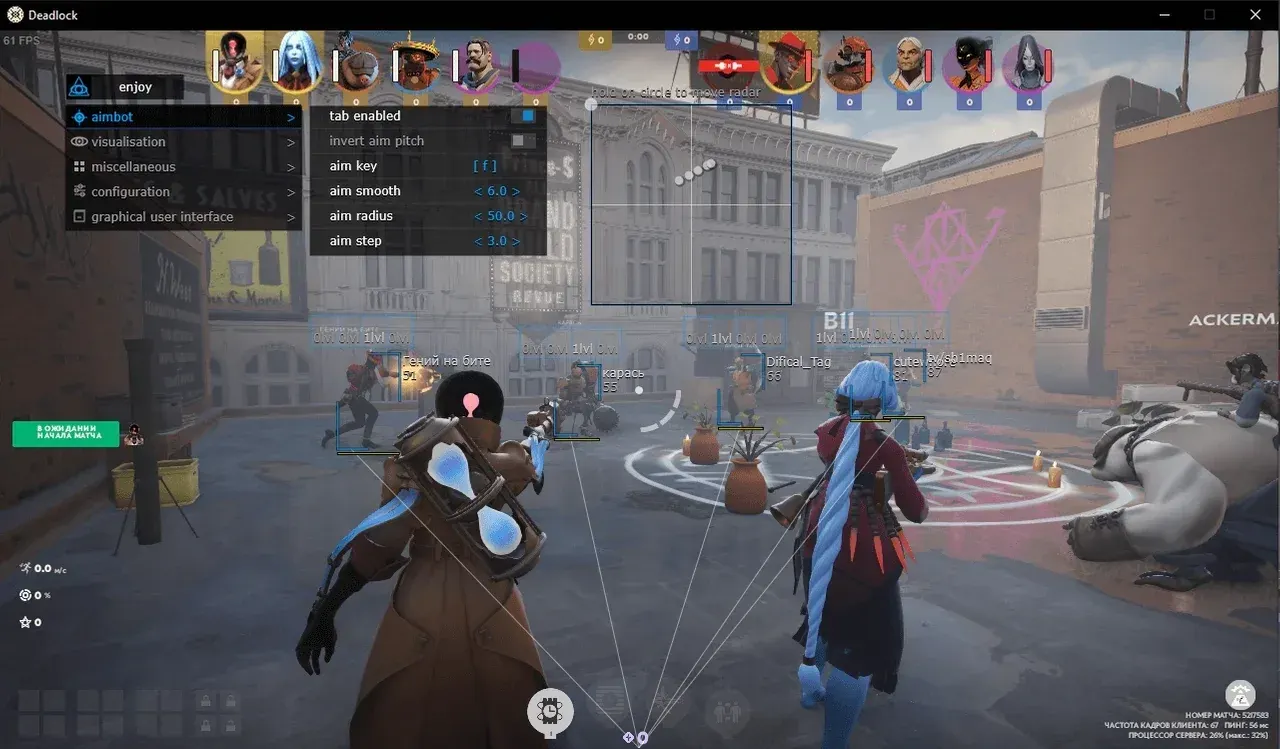
Purchase
Mason for Deadlock: system requirements
About Mason for Deadlock
The private Mason software for Deadlock on Steam includes an aim assist, ESP and a separate radar. The assist moves the crosshair while the chosen key is held and can even target souls; smoothness, radius and accuracy are adjustable, and once a target is killed it switches to the next one by itself.
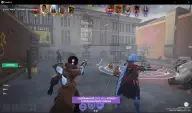
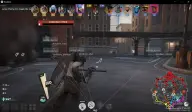
The visuals draw 2D boxes, lines to players, health bars, names, distance and souls, while the skill bar shows the level of every enemy ability. Your own team can be excluded from the ESP. The radar is switched on separately: its size and radius can be changed, and the window is dragged around the screen with the mouse.
There is a CPU-saving mode, and the config can be saved to the clipboard and loaded back from it later. The software runs on 64-bit Windows 10 and 11, builds 2004 to 23H2, with an Intel or AMD CPU; the display mode can be windowed, fullscreen or borderless fullscreen. In-game anti-cheat support is stated; there is no hiding from recordings, so the ESP and radar will be visible in videos and screenshots.
Features of Mason for Deadlock
- aiming works only while the chosen key is held down.
- sets how smoothly the crosshair moves.
- the radius in which the assist looks for a target.
- adjusts how precisely the crosshair is brought onto the target.
- after a kill, the aim moves to the next target.
- a 2D square around the player.
- the level of all enemy abilities.
- lines to players.
- the enemy's health bar.
- player nicknames.
- shows how far away an enemy is.
- the visuals do not show players on your own team.
- a mode that saves CPU resources.
- settings are saved to and loaded from the clipboard.
- a separate radar that can be dragged around the screen with the mouse.
- the radar window size and map coverage.
- the assist can lock onto souls as well.
- the ESP shows souls.