Mason cheat for Overwatch on Windows
Undetected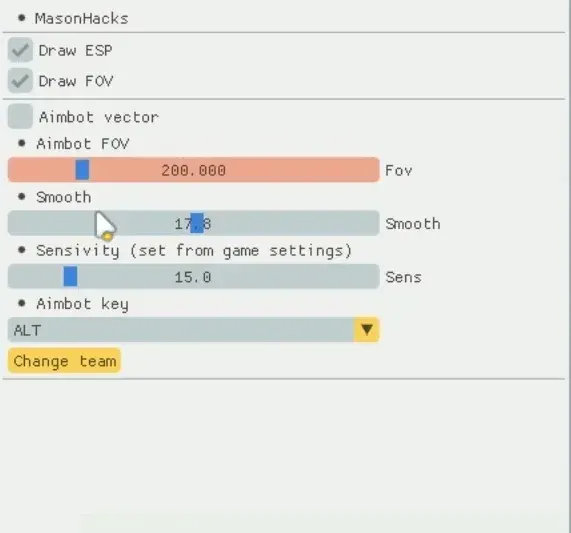
Purchase
Mason for Overwatch: system requirements
About Mason for Overwatch
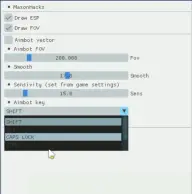
An aimbot, a triggerbot and a detailed ESP are the core of Mason, a private cheat for Overwatch 2 on Steam. Aiming kicks in on the activation key, SHIFT by default, while the capture radius, smoothing and sensitivity are set separately; the menu also offers prediction, recoil compensation, aim point selection and exponential smoothing. The triggerbot fires on its own at a target inside its radius, with an adjustable delay.
ESP draws 2D squares on enemies and shows the FOV circle, so you can see where the aim will engage. Besides flat boxes there are 3D and filled ones, a skeleton, lines and tracers, arrows to players beyond the screen edge, a health bar, names and hitboxes. The local team is switched with the X key.
Mason works only with the Steam version of the game, in windowed or fullscreen windowed display mode. It needs Windows 10 or 11 x64 on a build from 2004 to 23H2 inclusive, and an Intel or AMD processor. Built for the game's own in-game anti-cheat; the menu and ESP stay visible on recordings and screenshots.
Features of Mason for Overwatch
- turns on the aimbot, which pulls the crosshair to the chosen target.
- sets the radius within which the aimbot acquires a target.
- adjusts aim smoothing.
- sets the aimbot's aiming sensitivity.
- the key that makes aiming kick in when pressed; SHIFT by default.
- switches the cheat's local team setting with the X key.
- draws 2D boxes on enemies.
- shows the aimbot's working radius on screen.
- fires by itself when a target is inside its FOV radius; the key, shot delay, reaction time, distance and target are adjustable.
- prediction and lead of the target's movement for the aimbot.
- compensates weapon recoil while aiming.
- the aimbot's aim point, the head by default.
- the lower and upper limit of the range at which the aimbot works.
- an exponential smoothing mode for crosshair movement with its own exponent.
- a 3D or filled box around the player; thickness and border style are adjustable.
- draws players' bones; an advanced skeleton option is also available.
- a health bar and a numeric health value; the bar supports a gradient.
- shows player nicknames on screen.
- lines to players, snap lines and tracers with adjustable length.
- arrows to players beyond the screen edge; arrow size and distance can be changed.
- head and foot circles, a center dot, corner markers, a visibility dot and a direction arrow.
- shows hitboxes and the current aim target.
- enemies and allies are colored differently, red and green by default.
- limits the ESP range, while marker size and transparency change with distance.
- the menu opens and closes with the INSERT key.