Mason cheat for WARDOGS on Windows
Undetected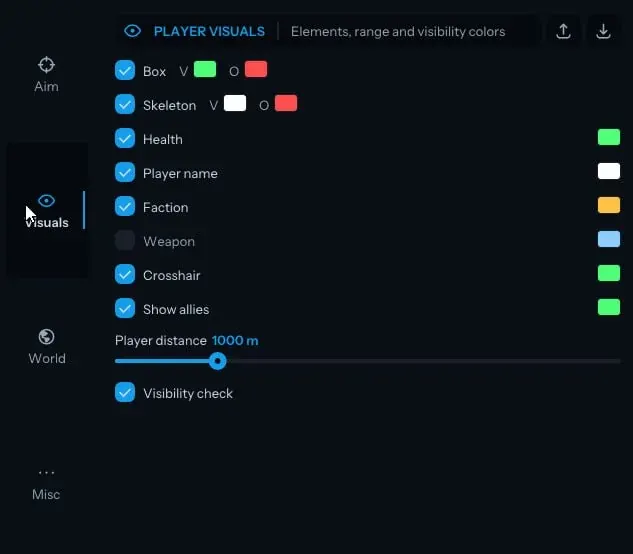
Purchase
Mason for WARDOGS: system requirements
About Mason for WARDOGS
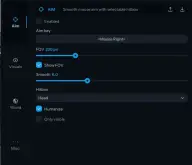
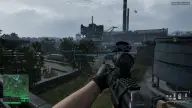
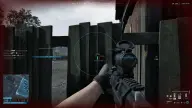
Mason for WARDOGS combines an aimbot, player ESP and vehicle visuals. The aim is turned on with a key, and you can add a second one; the FOV circle can be drawn on screen, smoothness is adjustable, and Humanize imitates natural crosshair movement. You set the hitbox yourself, there is neck aiming and automatic selection of the closest hitbox, and a filter keeps only visible targets.
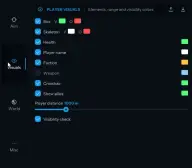
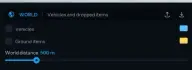
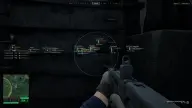
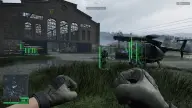
ESP shows a box and a skeleton (players in view and out of direct line of sight are coloured differently), health, nickname, faction and weapon, plus allies and an extra crosshair if you want them. The cheat outlines vehicles with a 3D box and shows their durability, both overall and for each module; items on the ground are shown too.
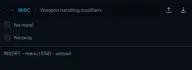
Misc has No Recoil, No Sway and a free camera; Insert opens the menu and End unloads the cheat. Mason is built for the Steam version in windowed or borderless mode, x64 builds of Windows 10/11 from 2004 to 26H1 and AMD or Intel (Xeon and FX are not guaranteed). It requires UEFI, GPT, Hyper-V, VT-x/VT-d and Secure Boot turned off; no USB flash drive is needed. The anti-cheat is the game's own; the cheat is visible on video recordings and screenshots.
Features of Mason for WARDOGS
- automatic aiming that starts with the key you assign.
- a backup key that also turns the aimbot on.
- the target capture radius; its edge can be shown right on screen.
- sets how smoothly the crosshair is brought onto the target.
- the crosshair moves naturally, as if aimed by hand.
- the body part the aimbot aims at is picked in the menu.
- a separate setting that sends the aim to the enemy's neck.
- the aimbot switches to the closest hitbox on its own.
- aiming and shooting work only on enemies you can see.
- a box around the player, in one colour for visible players and another for those out of direct line of sight.
- the bones of the player model, coloured differently in and out of direct line of sight.
- each player's health in the ESP.
- the ESP labels each player with their nickname.
- which faction the player belongs to.
- which weapon the player is holding.
- the cheat draws an extra crosshair on screen.
- the ESP shows allies too when this is turned on.
- the ESP marks whether a player is in direct line of sight.
- up to what distance the ESP draws players.
- vehicles on the map are marked in the ESP.
- vehicles are outlined with a 3D box.
- how much overall durability a vehicle has left.
- the names of a vehicle's modules and the durability of each one.
- items lying on the ground.
- the maximum distance at which vehicles and items are shown.
- weapon recoil is turned off.
- the weapon does not sway and the sight stays steady.
- switches the view to a free camera.
- Insert opens and hides the menu, End unloads the cheat from the game.