BTG cheat for Delta Force on Windows
Updating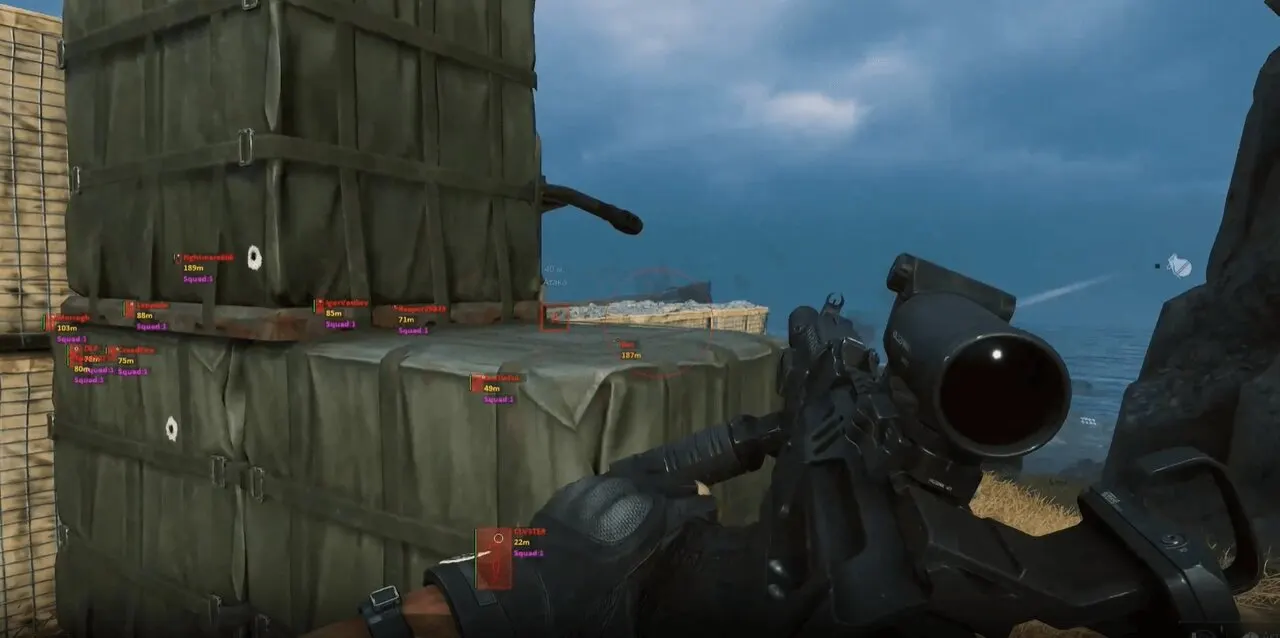
BTG is being updated: the developer is releasing a new version. Sales resume as soon as it is out.
Ask about timingBTG for Delta Force: system requirements
About BTG for Delta Force
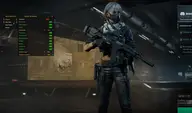
BTG is a cheat for Delta Force with a Russian-language menu split into the sections "Player", "Aim Bot", "ESP Colors" and "Other". The aimbot targets one of four bones, the key is chosen from seven options, FOV size, distance and aim speed are adjustable, and the FOV circle can be shown on screen.
The wallhack on players and bots draws 2D boxes or filled boxes, two types of lines, skeleton, a head marker, nicknames, distance and squad ID. Health is shown in one of three styles, and dead bodies are displayed in four ways. Colors for visible and invisible targets, nicknames, distance and head are set separately.
Requires Windows 10 or 11 Pro, an Intel or AMD processor, borderless windowed mode and the Steam version of the game. The disk must be partitioned as GPT; MBR will not work. The spoofer is not built in, and no USB flash drive is used to launch.
Features of BTG for Delta Force
- The "Button menu" setting controls the matching product option.
- "Player" — shows players in ESP and helps you track their positions around your character.
- The "Aim Bot" setting controls the matching product option.
- The "ESP colors" setting controls the matching product parameter.
- The "Other" setting controls the matching product option.
- "Player section" — shows players in ESP and helps you track their positions around your character.
- The "Bodies (On/Off)" setting controls the matching product option.
- The "Body type (4 options)" setting controls the matching product option.
- The "2D Boxes (On/Off)" setting controls the matching product option.
- The "Filled Boxes (On/Off)" setting controls the matching product option.
- Draws a guide line to the marked target or object.
- The "Line type (2 options)" setting controls the matching product option.
- "Distance (On/Off)" — shows the distance to the marked target or object.
- The "Nicknames (On/Off)" setting controls the matching product option.
- The "Draw Bots (On/Off)" setting controls the matching product option.
- Shows the target's skeleton so you can read its position and movement faster.
- Adds a separate head marker to the target so you can read its position more precisely.
- The "Squad ID (On/Off)" setting controls the matching product option.
- The "Health (On/Off)" setting controls the matching product option.
- The "Health type (3 options)" setting controls the matching product option.
- "Actor distance" — shows the distance to the marked target or object.
- The "Aim Bot section" setting controls the matching product option.
- The "Enable Aim (On/Off)" setting controls the matching product option.
- The "Aim Bone (4 options)" setting controls the matching product option.
- The "Aim Key (7 options)" setting controls the matching product option.
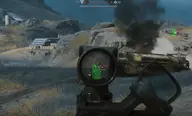
- "Aim FOV Size" — sets the size and maximum range of the selected module's working area.
- "Aim Distance" — shows the distance to the marked target or object.
- The "Aim Speed" setting controls the matching product option.
- "Draw Aim FOV (On/Off)" — sets the size and maximum range of the selected module's working area.
- The "ESP Colors section" setting controls the matching product option.
- "Visible color (ColorBox)" — marks the target with a visual frame so you can spot it on screen quickly.
- "Hidden color (ColorBox)" — marks the target with a visual frame so you can spot it on screen quickly.
- "Distance (ColorBox)" — marks the target with a visual frame so you can spot it on screen quickly.
- "Nicknames (ColorBox)" — marks the target with a visual frame so you can spot it on screen quickly.
- "Head (ColorBox)" — marks the target with a visual frame so you can spot it on screen quickly.