BTG Rust cheat for Windows
Undetected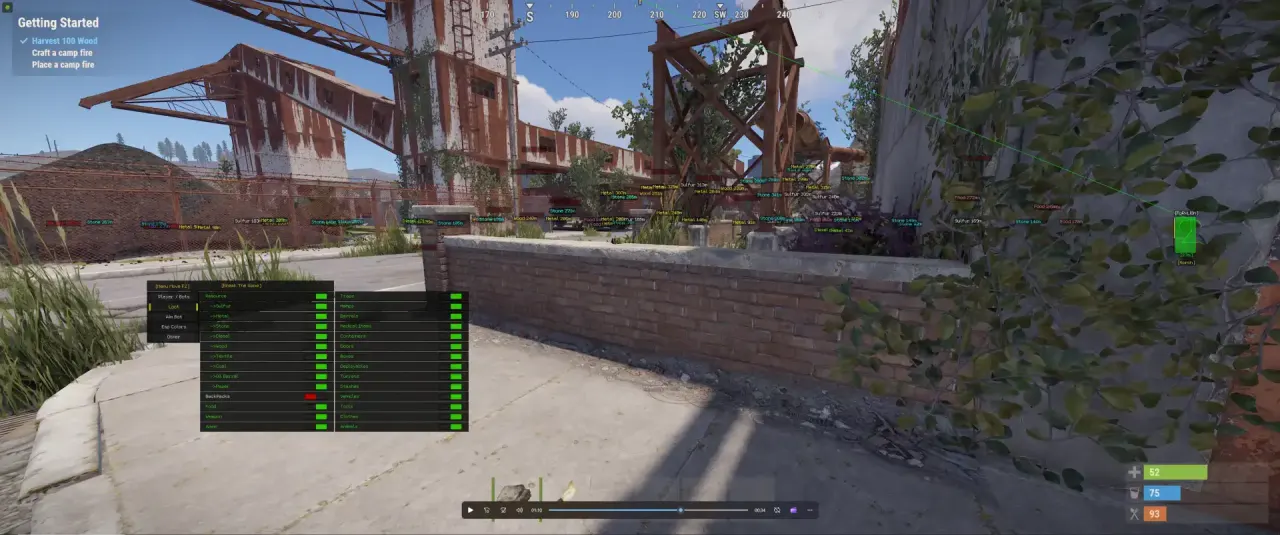
Purchase
BTG Rust: system requirements
About BTG Rust
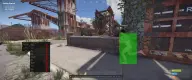
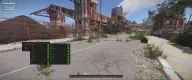
BTG Rust is a cheat for Rust with a player wallhack, an aimbot and resource ESP. For players it shows skeletons, 2D boxes, lines, nicknames, health, distance and the item in hand; sleeping players, NPCs and corpses are toggled separately, and the render distance can be limited. The aimbot is configured by bone, activation key and distance, and the FOV circle and target marker are drawn on screen.
World ESP highlights stone, metal and sulfur ore, collectible wood, stone, metal, sulfur and diesel, as well as crates, barrels, hemp, food, backpacks, animals and vehicles.
BTG runs on Windows 10 and 11 Pro with Intel and AMD processors in windowed or borderless mode. The client is Steam, and the game's anti-cheat is EAC. The disk must use GPT partitioning; MBR is not supported. There is no built-in spoofer, no USB drive is needed, and the overlay does not show up in OBS recordings.
Features of BTG Rust
- The "Features of the private BTG cheat for RUST" setting controls the matching product option.
- "Players:" — shows players in ESP and helps you track their positions around your character.
- Shows the target's skeleton so you can read its position and movement faster.
- Marks the target with a visual box so you can spot it on screen quickly.
- Draws a guide line to the marked target or object.
- "Esp Distance" — shows the distance to the marked target or object.
- The "Esp Names" setting controls the matching product parameter.
- The "Esp Healrh" setting controls the matching product parameter.
- The "Item in Hands" setting controls the matching product parameter.
- "Sleep Players" — shows players in ESP and helps you track their positions around your character.
- The "Bots [PNC`s]" setting controls the matching product parameter.
- The "Corpses" setting controls the matching product parameter.
- "Max Distance" — sets the size and maximum range of the selected module's working area.
- Helps you track the selected target more precisely based on your aim settings.
- The "Bone" setting controls the matching product parameter.
- The "Butoon" setting controls the matching product parameter.
- "Draw FOV" sets the size and maximum range of the selected module's working area.
- "AimDistance" — shows the distance to the marked target or object.
- The "Show Aim Marker" setting controls the matching product parameter.
- The "Other:" setting controls the matching product parameter.
- The "Stone Ores" setting controls the matching product parameter.
- The "Metal Ores" setting controls the matching product parameter.
- The "Sulfur Ore" setting controls the matching product parameter.
- The "Wood Collectable" setting controls the matching product parameter.
- The "Sulfur Collectable" setting controls the matching product parameter.
- The "Stone Collectable" setting controls the matching product parameter.
- The "Metal Collectable" setting controls the matching product parameter.
- The "Diesel Collectable" setting controls the matching product parameter.
- The "Crates" setting controls the matching product parameter.
- Shows animals among world objects with a separate visual marker.
- The "Barrels" setting controls the matching product parameter.
- The "Food" setting controls the matching product parameter.
- The "Hemps" setting controls the matching product parameter.
- The "BackPacks" setting controls the matching product parameter.
- The "Vehicles" setting controls the matching product parameter.