Mason Evrima cheat for The Isle on Windows
Undetected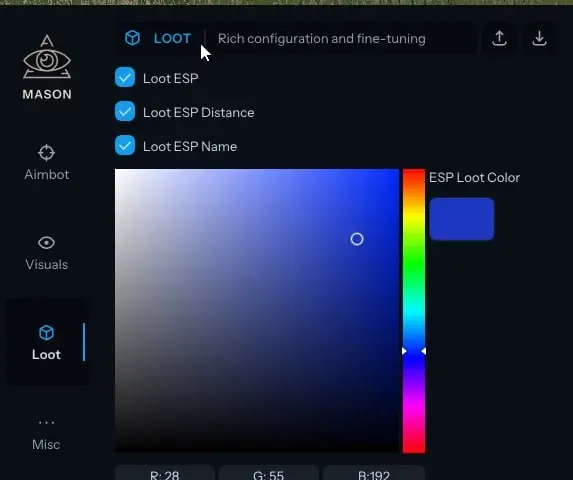
Purchase
Mason Evrima for The Isle: system requirements
About Mason Evrima for The Isle
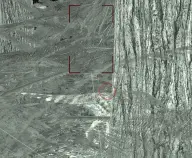
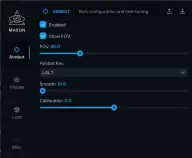
Mason Evrima is a cheat for The Isle, and its name points to the Evrima branch. Its main block is the aimbot: it has its own on/off switch, and aiming fires on a key you choose. The radius of the FOV circle sets the capture zone, and the circle itself is turned on with Show FOV. Smooth softens the pull onto the target, there is a separate Calibration option, and the aimbot's target is highlighted.
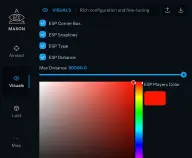
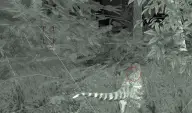
The visuals give players a Corner Box, Snaplines and a distance label; the ESP type, colour and drawing range are changed in the menu. Loot ESP shows items with their name, distance and a colour of their own.
You need the Steam version of the game in windowed mode, Windows 10 or 11 x64 builds 2004 to 23H2 and an Intel or AMD processor. The requirements list an in-game anti-cheat. There is no hiding from recordings and screenshots, so the ESP will be visible on streams and in videos. The menu and requirements match Mason for The Isle: the developer lists both products in its The Isle: Evrima section and does not describe any difference between them.
Features of Mason Evrima for The Isle
- aiming at a target is turned on and off with its own switch.
- the aim works on a key you assign yourself.
- the FOV circle is drawn on screen, so the capture zone is always in view.
- the bigger the circle, the farther from the crosshair the aimbot picks up a target.
- makes the crosshair move to the target less abruptly.
- one more setting in the Aimbot section; the developer does not describe what it does.
- the player locked by the aimbot is marked on screen.
- each player is marked by a box made of four corners.
- a pointer line leads to each player on screen.
- lets you choose how players are displayed.
- each player is labelled with the distance to them.
- the limit beyond which players are no longer drawn.
- a colour of your own for drawing opponents.
- shows items on screen through the ESP.
- every loot marker is labelled with what the item is.
- the distance to a found item is shown next to its marker.
- a separate colour for loot markers so they are not confused with players.