Mason cheat for Enlisted on Windows
Updating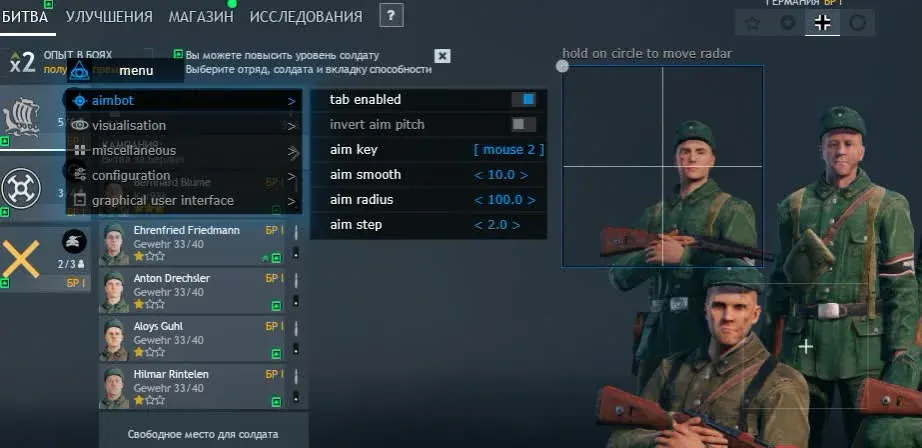
MASON is being updated: the developer is releasing a new version. Sales resume as soon as it is out.
Ask about timingMason for Enlisted: system requirements
About Mason for Enlisted
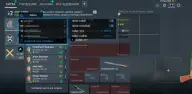
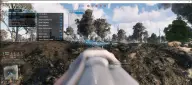
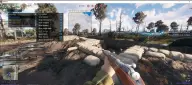
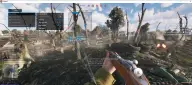
Mason is a private cheat for Enlisted: an aimbot, a radar, and ESP for soldiers and vehicles; everything is set up in the menu. Mason Chams, by contrast, only highlights players. The aimbot pulls the crosshair onto a target on the assigned key within a set radius; smoothing and aim step are tuned separately, and vertical movement can be inverted.
The visuals draw a box around soldiers, label their name and distance, and draw the skeleton and a line to the target. Vehicles and ammo boxes are marked separately, teammates can be hidden, and players and other objects each get their own draw distance. The aimbot circle, a custom crosshair and a radar with adjustable size and radius are drawn over the game.
There is a CPU-saving mode, a Panic Key and config transfer through the clipboard. The build is made for the Steam version with Easy Anti-Cheat and runs in any window mode, and its overlay does not show up in recordings or screenshots. It needs 64-bit Windows 10 or 11, builds 2004 to 26H1, Intel or AMD, UEFI on a GPT disk and a flash drive; Hyper-V and VT-x/VT-d are switched on and Secure Boot is switched off.
Features of Mason for Enlisted
- aim assistance with its own on/off switch.
- the key that triggers the aim pull onto a target.
- softens the crosshair's movement toward the enemy.
- sets how sharply the crosshair moves toward the target.
- the area around the crosshair in which the aimbot picks a soldier.
- reverses the vertical direction of the aimbot's pull.
- shows soldiers behind walls and cover.
- a square frame around every soldier.
- the player's name is shown next to their model.
- skeleton lines over the soldier's model.
- a line leading to every marked player.
- the distance to every soldier visible in the ESP.
- markers for vehicles within the draw range.
- highlights ammunition boxes in the ESP.
- removes your own team from the ESP.
- soldiers beyond the set distance are not shown.
- a separate draw limit for vehicles and other markers.
- draws on screen the radius in which the aim works.
- your own crosshair over the in-game one.
- a toggleable radar; its size and range are set in the menu.
- a lighter mode that reduces the load on the processor.
- opens and hides the cheat menu.
- switches the program off in an emergency on a key press.
- settings are saved to the clipboard and loaded from it.
- the cheat's overlay does not show up in videos or screenshots.