Mason cheat for The Isle on Windows
Undetected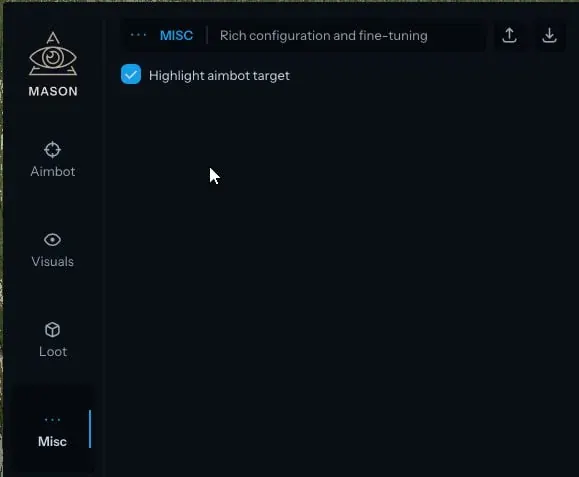
Purchase
Mason for The Isle: system requirements
About Mason for The Isle
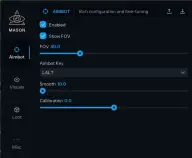
The Mason menu for The Isle has four sections: Aimbot, Visuals, Loot and Misc. Once the aim is turned on with its toggle, it activates on a key you choose. Targets are looked for inside the FOV circle: the radius can be changed, and the circle can be shown on screen. Smooth softens the pull, and calibration sits next to it.
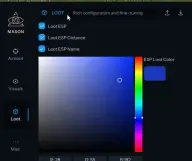
The visuals draw corner boxes, lines to players and the distance to them. The drawing style is switched in the ESP Type option, the player colour is adjustable, and a maximum range cuts off targets that are too far away. In the Loot section, items are marked with their own colour, name and distance.
The Misc section turns on aimbot target highlighting. The developer keeps this version and Mason Evrima in the same category, The Isle: Evrima, and their pages do not differ in functions or requirements, so check the choice with support before paying. Requirements: the Steam version of the game, windowed mode only, an Intel or AMD processor, and Windows 10 or 11 x64 from build 2004 to 23H2 (24H2 is not on the list). The anti-cheat is listed as the game's own, and the visuals are not hidden from recordings and screenshots.
Features of Mason for The Isle
- the main toggle that turns the aim on.
- the aimbot is activated by a key you pick in the menu.
- sets how gently the crosshair is pulled onto the target.
- an aim tuning option in the aimbot block.
- draws on screen the zone in which the aim looks for a target.
- sets the radius of the capture circle.
- highlights the player the aim is locking onto.
- corner-only boxes around players instead of a full square.
- draws lines to other players.
- switches the way the visuals are drawn.
- the distance is shown next to each target.
- limits how far away the ESP is still drawn.
- a custom colour for the player ESP.
- marks loot lying in the game world.
- labels exactly what lies at the marked spot.
- how far you have to go to each marked item.
- sets the shade used to mark loot.