Mason cheat for Wuthering Waves on Windows
Updating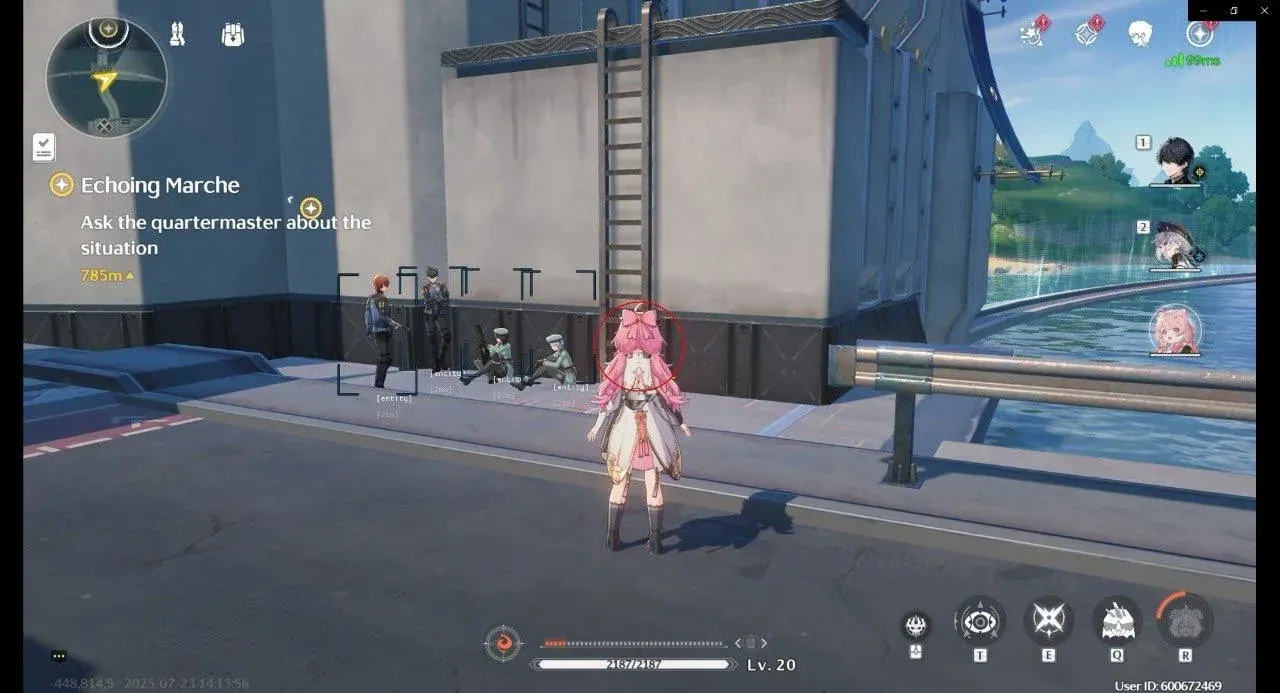

MASON is being updated: the developer is releasing a new version. Sales resume as soon as it is out.
Ask about timingMason for Wuthering Waves: system requirements
About Mason for Wuthering Waves
Mason is a cheat for the Steam version of Wuthering Waves. The menu is split into three blocks: aimbot, visuals and Misc. The aim works inside a FOV circle with an adjustable radius and activates on its own key or on the left mouse button, and it can be set to lock only onto visible targets. The developer marks the aimbot as risky.
The ESP shows 2D boxes, lines and distance, and the drawing type can be changed. Markers for resources, objects, chests and dungeons are switched on separately, and the colour of each can be set. The marker range and how often the markers refresh are set in the menu as well.
Misc raises the skill tough ratio and the speed ratio and lowers gravity. It requires Windows 10 or 11 x64, builds 2004 to 26H1, an Intel or AMD processor, UEFI boot mode and a system disk with GPT partitioning. Before launch, enable Hyper-V and virtualization (VT-x/VT-d) and disable Secure Boot; you will also need a USB flash drive. Any window mode works, the anti-cheat is built into the game itself, and the cheat overlay does not appear in screen recordings or screenshots.
Features of Mason for Wuthering Waves
- automatic aiming at enemies; the developer itself flags this option as risky.
- shows on screen the edge of the zone where the aim works.
- sets the size of the area in which the aimbot picks a target to lock on.
- the aim locks only onto targets in direct line of sight.
- your own key to activate aiming, assigned in the menu.
- the aimbot can be bound to the left mouse button.
- flat square frames around targets marked by the ESP.
- lines drawn to every marker on screen.
- switches the mode in which markers are drawn.
- labels the distance to each marked object.
- markers on open-world resources; their colour can be changed.
- highlights objects in the world in a colour chosen in the menu.
- marks chests in the area in a separate colour of your choice.
- shows dungeons; the shade of their marker is set by hand.
- how often the ESP refreshes its marker data.
- the range limit beyond which markers are not drawn.
- increases the skill tough ratio.
- raises the speed ratio.
- lowers the gravity value in the game.