Medusa Unturned cheat for Windows
Undetected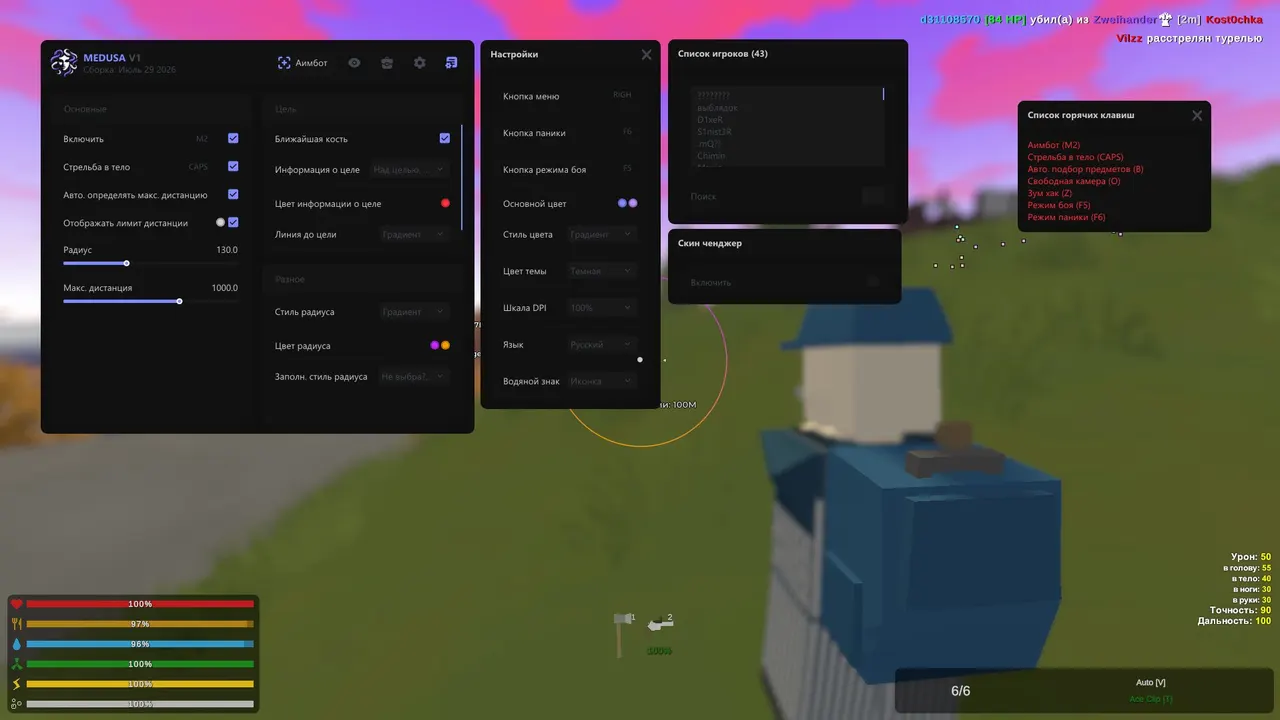
Purchase
Medusa Unturned: system requirements
About Medusa Unturned
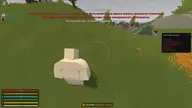
MEDUSA UNTURNED is a cheat for Unturned built for survival, farming and PvP. The aimbot fires on a key and picks a target inside the FOV circle: set the bone yourself or let it take the nearest one, force body aim, and cap the range manually or automatically. Weapons lose recoil, spread and sway, and melee hits reach further.
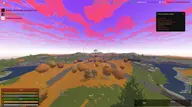
ESP shows players, zombies, vehicles, objects and animals with boxes, skeletons, highlight, names and distance, with friends marked separately. Loot can be filtered by category and rarity, and battle mode clears extra markers off the screen. You also get long-range auto loot, a zoom hack, free camera, sky recolouring, a skin changer, a player list and Anti-Spy, which hides the visuals while an admin is spectating you.
Every feature toggles on its own, for quiet or aggressive play; configs and a panic key are included. Requirements: Steam, Windows 10 or Windows 11 21H2–23H2, windowed or borderless mode; a spoofer is supported. There is always a risk of a ban: Unturned also bans manually after player reports.
Features of Medusa Unturned
- turns on the aiming module; the aimbot works on the key you assign.
- sets the radius around the crosshair where the aimbot looks for a target.
- changes how the FOV circle looks: style, colour and an optional fill colour.
- choose the aim point: head, body or another hitbox.
- aims at whichever bone of the target is nearest and available.
- moves the aim to the torso for steadier, less obvious shooting.
- caps the range at which the aimbot takes targets.
- picks the aimbot's working range automatically for the situation.
- draws the range boundary inside which the aimbot can lock on.
- shows data on the selected target, with an adjustable text colour.
- removes weapon recoil.
- removes bullet spread.
- no weapon sway while moving or aiming.
- extends the reach of melee attacks.
- turns on player ESP on screen.
- turns on zombie ESP.
- labels above targets: name and distance for players, basic data for zombies; text colour is adjustable.
- friends are marked separately so you don't mix them up with enemies.
- shows only the players and zombies that are in your line of sight.
- draws the skeleton of player and zombie models.
- highlights player and zombie models so they are easier to spot.
- box type around players and zombies, with fill and custom colours.
- turns on vehicle ESP.
- labels the type of each vehicle found.
- shows the distance to vehicles and game objects.
- vehicle or item details appear only when you aim at it.
- in battle mode, hides vehicle, object, animal and loot markers.
- turns on ESP for game objects.
- choose which object categories are shown.
- shows animals on screen.
- limits how far away items and animals are displayed.
- turns on item ESP.
- choose which item types are displayed.
- labels each item with its category.
- filters loot by rarity.
- shows an item's rarity next to it.
- colours item markers by rarity level.
- gives you free control of the camera.
- turns on camera field-of-view adjustment; the FOV value sets the width.
- changes the screen aspect ratio.
- turns on the weather controller for recolouring the scene.
- recolours the sky.
- changes the colour of the horizon line.
- sets the ground tint.
- changes the sun colour.
- replaces character and weapon skins.
- a list of skins available to pick.
- set the character skin ID manually.
- set the weapon skin ID manually.
- applies a single chosen skin to your character.
- a list of the players currently on the server.
- quickly find a specific player in the list.
- hides visuals and functions while an admin watches through spy mode.
- picks up items from a distance when you press the bound key.
- zooms the view in on a hotkey.
- gives you access to the map.
- puts a compass on screen.
- the list of saved settings profiles.
- creates a new config under the name you type.
- writes the current settings to the selected profile.
- loads the selected config.
- renames the selected profile.
- deletes a config you no longer need.
- sets the config that loads automatically.
- copies the selected config so you can keep or share it.
- exports every saved config at once.
- loads a config from the clipboard.
- restores settings to their defaults.
- your own key for opening the menu.
- switches the functions off instantly with one key.
- binds the battle mode key; in that mode extra markers can be hidden.
- switches the menu language.
- changes the interface scale.
- switches the menu theme.
- turns the watermark on or off.