Medusa Rage cheat for Escape from Tarkov on Windows
Undetected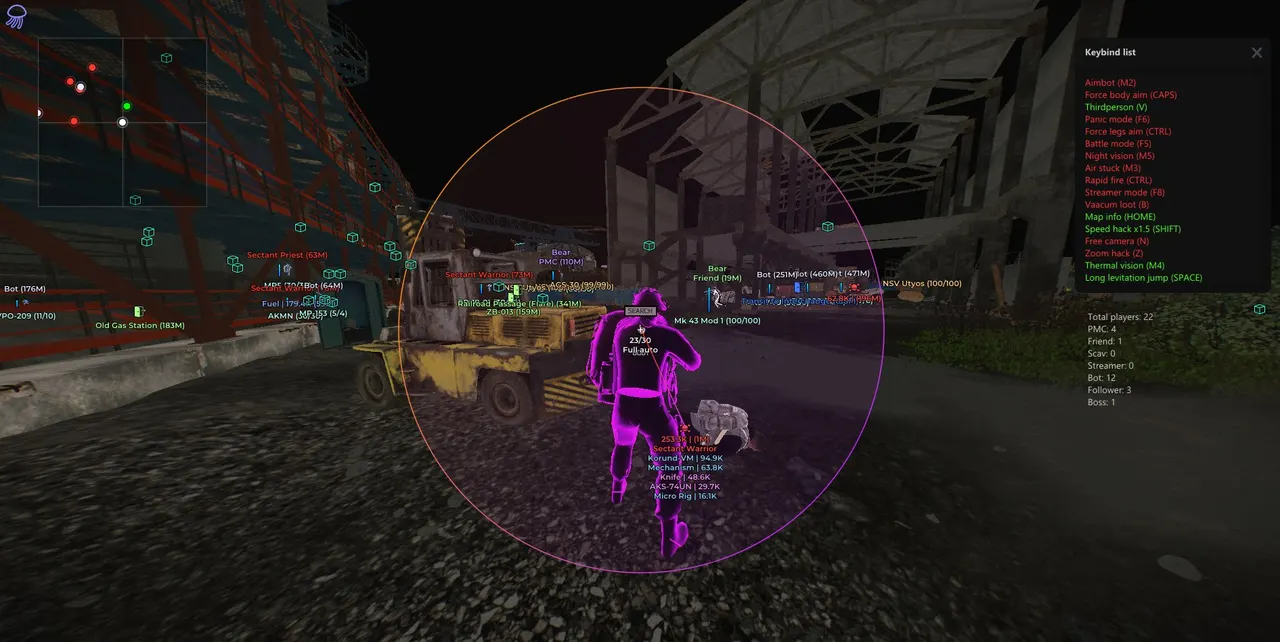
Purchase
Medusa Rage for Escape from Tarkov: system requirements
About Medusa Rage for Escape from Tarkov
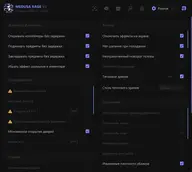
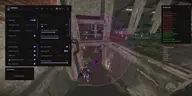
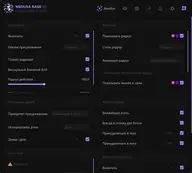
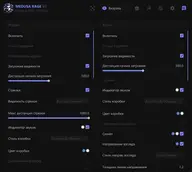
MEDUSA RAGE is the top Medusa build for Escape from Tarkov, with the full feature set: tune it for careful legit play or go all-out rage. The aimbot has Silent Aim, vector aiming, Silent Melee, manual bone selection, body and leg aim binds, role filters and Magic Grenade.
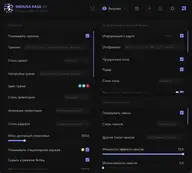
ESP shows PMCs, scavs, bots and bosses with health, the item in hand and inventory value, plus chams, radar, tripwires, mines, the BTR and extracts. Loot ESP adds prices, containers and corpses, an item filter and a quest helper. Misc covers no recoil, speedhack, third-person view, thermal vision and a K/D Dropper.
It suits players who want the whole arsenal for both PvP and farming. Requirements: Windows 10 or Windows 11 21H2–23H2, an Intel or AMD CPU, windowed or borderless mode, spoofer support and a screen-capture bypass. The risk of a ban always remains, so avoid drawing attention.
Features of Medusa Rage for Escape from Tarkov
- lands hits on a target inside the aimbot radius without the crosshair or camera jerking.
- vector-based aiming that tracks the target more smoothly and steadily.
- limits the aimbot and ESP to targets in direct line of sight.
- lands melee hits with less obvious movement.
- sets the size of the FOV zone in which the aimbot picks up a target.
- pick the aim point by hand: head, neck or pelvis.
- when shooting bots, the aim always goes to the head.
- moves the aim point to the torso for a steadier, less sharp hit pattern.
- moves the aim to the legs for a less typical hit pattern.
- keeps the aim locked on the chosen target for steadier tracking.
- the aimbot won't lock onto players on your friends list, and ESP can hide them.
- shows data on the target the aimbot has picked, above the model or in the screen center.
- draws the aimbot FOV circle, with optional fill, gradient and animation.
- connects the screen center and the aimbot's current target with a line.
- improves grenade throws at the selected target; the recalculation rate is adjustable.
- draws the grenade flight path for grenade aiming.
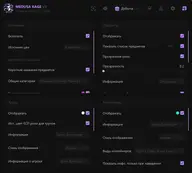
- turns on ESP for players and bots: PMCs, scavs, bosses and guards.
- smoothly fades ESP with distance; you set where the fade starts.
- boxes around players and bots: corners, full box, outline and fill.
- draws the skeleton of player and bot models.
- a line shows where an enemy is looking.
- a bar with the target's current health, solid or gradient.
- shows the player's nickname next to the ESP.
- see which weapon or item an enemy has in hand.
- reveals what the target carries in their inventory.
- totals up the value of the target's loot.
- bosses get their own color, and guards can have a separate one.
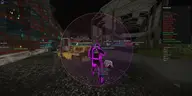
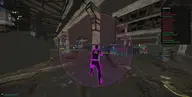
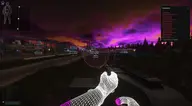
- highlights player and bot models through walls and objects.
- a chams style with a bright glow; soft, dark, deep and solid variants are available.
- an X-ray chams effect that makes targets easier to read.
- highlights the model as a wireframe.
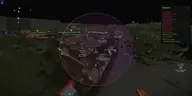
- a separate radar window with players and bots; grid, dot size and range are adjustable.
- a map and raid summary: how many PMCs, scavs, bots, bosses and guards are in.
- shows at a glance how many bosses are on the map.
- chams on your own character and weapon in the same glow styles.
- shows details about your current weapon.
- shows how many rounds you have left.
- marks the BTR on the map as text, an icon or both.
- shows mounted guns and turrets, with a range limit.
- shows grenades in the world, with frag, flash and smoke toggled separately.
- a countdown to the grenade going off.
- draws the grenade's flight path and its danger radius.
- leaves shot lines on screen; how long they stay is adjustable.
- a log of your hits on targets.
- a visual marker on every hit, with an optional sound.
- shows tripwires and their trigger lines; already triggered ones can be hidden.
- tells you which grenade is rigged to the tripwire.
- marks raid extraction points.
- marks transitions between map areas.
- marks spots where you can die without ever meeting an enemy.
- shows minefields.
- marks zones covered by snipers.
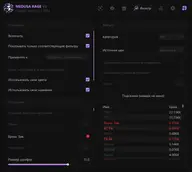
- turns on loot ESP in raid, split into categories.
- choose the price database used to value items.
- highlights quest items; you can limit it to active quests.
- shortens item names so loot labels don't clutter the screen.
- a separate window listing the loot found.
- a price floor: cheaper items are not shown.
- loot markers disappear while you aim down sights.
- battle mode hides loot so it doesn't get in the way of a fight.
- shows loot containers: safes, cash registers, crates, bags and stashes.
- estimates the value of what's inside a container.
- removes already opened containers from the screen.
- shows ground caches.
- marks player and bot corpses with the dead player's name and faction.
- shows how much loot a corpse is worth.
- price-tier colors: up to 100K, 250K, 500K and 1M.
- only items that pass your filter stay on screen.
- quick search for a specific item in the list.
- shows what has been found in the current raid.
- quest helper: shows quest objectives and requirements right in raid.
- shows quest requirements you've already completed.
- refreshes the game's item name database.
- removes recoil and bullet spread.
- no weapon sway while moving or aiming.
- no weapon jams or failures.
- speeds up aiming down sights.
- reload without delay.
- increases the rate of fire.
- boosts movement speed with an adjustable cap.
- stamina never runs out.
- fast movement by chaining jumps.
- jump higher than normal; jump length is adjustable too.
- shoot while sprinting without the usual restrictions.
- third-person camera with adjustable distance.
- free camera with adjustable movement and turn speed.
- thermal vision in a light or dark style.
- turns on night vision.
- zooms the view in, with an adjustable zoom level.
- changes the time of day in raid.
- picks up loot faster.
- opens containers without delay.
- hides your nickname in the interface.
- a K/D lowering module with limits on raids, reconnects and search time.
- makes model heads bigger.
- copy a config to the clipboard to share or back up, and load it back the same way.
- one key instantly turns all features off.
- a key for battle mode, which hides extra markers during a fight.