Medusa cheat for DayZ on Windows
Undetected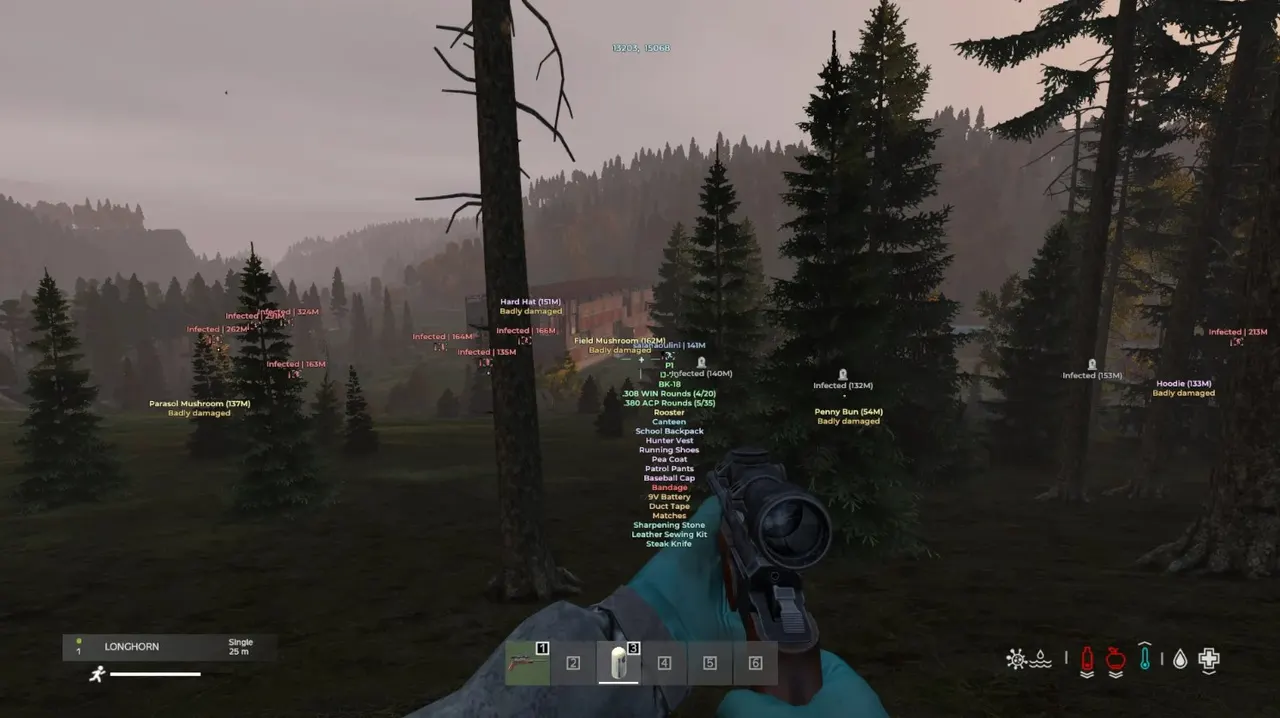
Purchase
Medusa for DayZ: system requirements
About Medusa for DayZ
MEDUSA is the top version of Medusa for DayZ. The aimbot works on players, infected and animals, with FOV, a distance limit, a fixed or random body part and Magic Bullet. Loot through walls, a free camera with noclip and third-person view widen what you can see.
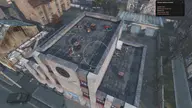
ESP covers players, infected, animals, cars and corpses: boxes, skeleton, head dot, health bar, name, distance, inventory and the item in hands. Loot is filtered by category and by condition from Pristine to Ruined, with search and markers for helicopter crashes, stashes and death spots. Time of day, weather and grass can be tuned to taste.
Made for players who want the whole toolkit, aggressive features included. The developer says the ban risk on official servers is minimal; on modded servers keep the aimbot off, because admins make the call there, and the risk of a ban always remains. Requirements: Windows 10 or 11 up to 23H2, Intel or AMD, windowed or borderless mode, capture bypass for OBS and streams.
Features of Medusa for DayZ
- turns the aimbot on with a key you bind.
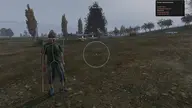
- sets the radius around the crosshair where the aimbot looks for a target.
- caps the range at which the aimbot works.
- the bullet reaches the selected target without following the usual straight path.
- chooses what to aim at: players, infected or animals.
- leaves selected target types out of aiming.
- sets the main zone the aimbot aims for.
- randomizes the hit point so your shots don't look identical.
- displays information about the current target.
- draws a line from you to the selected target.
- changes how the FOV circle looks on screen; the fill is set separately.
- turns on player ESP with an adjustable display range.
- draws a box of the chosen type around each player, with an optional fill.
- shows the player model skeleton.
- marks the player's head with a dot.
- shows the player's health bar in the style you pick.
- labels each player with name and distance.
- shows what the player carries in the inventory.
- shows the weapon or item the player is holding.
- draws lines from you to players.
- marks friends separately so you don't mistake them for enemies.
- turns on infected ESP with an adjustable range.
- draws the infected skeleton; boxes and a head dot are available too.
- shows the infected's name and distance.
- shows what an infected is carrying.
- draws lines to the infected.
- turns on animal ESP with an icon and distance.
- shows how much health an animal has.
- turns on car ESP with an icon and distance.
- shows what is stored in a car.
- marks player corpses on screen.
- shows what is left on a player's corpse.
- hides player corpses during combat.
- shows the contents of an infected corpse.
- shows animal corpses with an icon and distance.
- turns on ESP for other objects with their distance.
- removes extra markers while you are in a fight.
- marks helicopter crash sites.
- draws tracers for fired bullets.
- adds a customizable crosshair to the screen.
- marks death spots with an icon and shows when each death happened.
- turns on loot ESP with a range limit.
- shows items as an icon, as text, or both.
- adds condition, category and distance to each item label.
- lets you pick which item types to show.
- filters loot by condition, from Pristine to Ruined.
- shows items stored inside containers and inventories.
- shows item details only when you aim at the item.
- hides loot during combat so it doesn't clutter the screen.
- helps you quickly find a specific item by name.
- builds your own filter from the list of available items.
- displays technical item data.
- highlights weapons.
- shows weapon magazines.
- shows ammo and ammunition items.
- shows scopes and optics.
- shows weapon attachments.
- shows suppressors.
- shows explosives.
- shows melee weapons.
- shows medical supplies.
- shows food.
- shows backpacks.
- shows clothing.
- shows tools.
- highlights stashes.
- shows base-building items.
- shows car parts and vehicle items.
- shows crafting items.
- lets you interact with loot through walls and other obstacles.
- shows your current coordinates.
- unlocks third-person view.
- gives you free control of the camera.
- lets the camera pass through walls and other obstacles.
- adjusts free camera and noclip speed.
- turns on night vision.
- removes darkness for a brighter picture.
- changes the time of day.
- removes grass so it doesn't block your view.
- adjusts fog and its density.
- adjusts rain and how heavy it is.
- adjusts snowfall and its strength.
- adjusts cloud cover and its density.
- shows a list of your bound hotkeys.
- keeps only enabled binds in the list.
- makes the keybind window less intrusive.
- stores several settings profiles that you can create, rename and delete.
- picks the profile that loads automatically.
- loads a config from the clipboard.
- copies a config so you can share or keep it.
- restores the default settings.
- sets the key that opens the menu.
- instantly disables functions with a single key.
- toggles battle mode, where loot and extra markers can be hidden.
- changes the interface scale.
- switches the menu language.