Ghost cheat for ARC Raiders on Windows
Undetected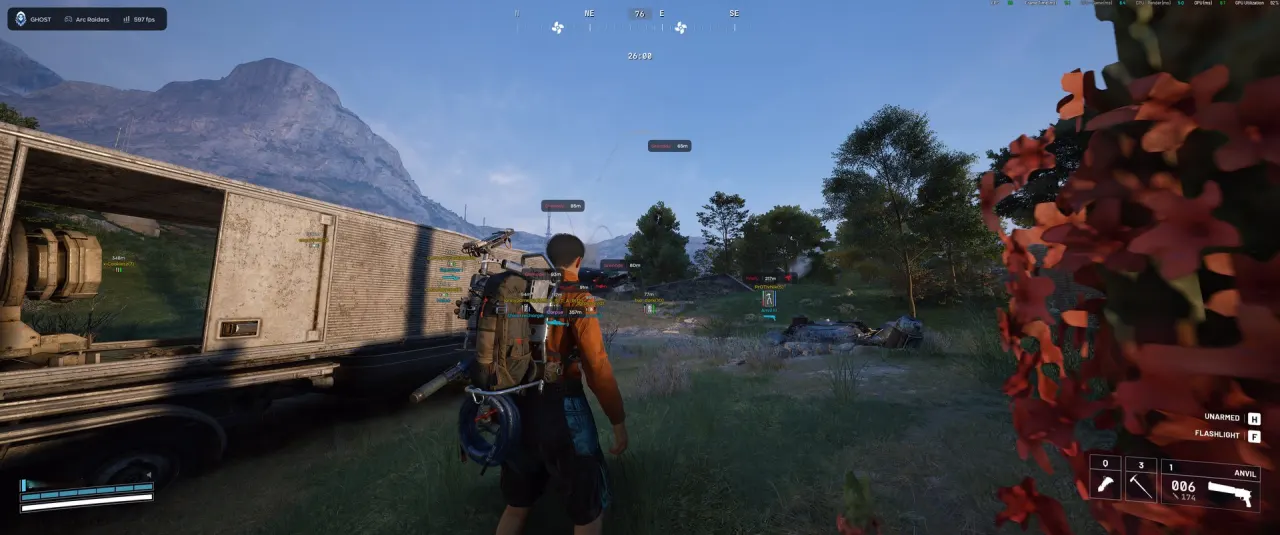


Purchase
Setup instructions
Ghost for ARC Raiders: system requirements
About Ghost for ARC Raiders
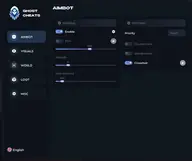
Ghost is a cheat for ARC Raiders whose aimbot can be tuned for natural-looking aiming. Besides FOV, smoothness, distance and target priority, there is jitter that imitates hand tremor, a dead zone, reaction time with minimum and maximum delay, a speed limit and humanization. Target Lock and recoil control are also available.
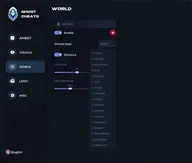
The player wallhack shows boxes, nicknames, health, armor, weapons, skeleton, distance and squad membership. Object ESP shows ARC by type (Wasp, Hornet, Bastion, Queen and others), as well as mines, extraction points, fuel and puzzles. Loot is labeled with its value, and containers are filtered by type: lockers, shelves, weapon crates.
It requires the Steam version and Windows 10 or 11 (1903–26H1). Intel and AMD CPUs and Nvidia and AMD graphics cards are supported; the game runs windowed or borderless. There is no built-in spoofer, and no USB flash drive is needed.
Features of Ghost for ARC Raiders
- turns the aimbot on or off.
- sets the radius of the target capture zone.
- adjusts how smoothly the crosshair moves to the target.
- maximum aimbot range.
- target priority selection.
- a custom crosshair in the center of the screen.
- simulates hand tremor while the aim is working.
- dead zone (when the crosshair is close to the target, correction is turned off).
- sets the minimum and maximum delay before the aimbot starts aiming.
- maximum aimbot speed.
- adds a "human touch" when aiming at enemies.
- draws a box around the player.
- shows the player name.
- shows a health bar.
- shows the armor level.
- shows the player's current weapon.
- shows which team a player belongs to.
- shows the player model skeleton.
- draws a line from the player to the target.
- shows the distance to the player.
- shows which squad (team) a player belongs to.
- "Wasp" — display setting in the "Objects ESP" section.
- "Hornet" — display setting in the "Objects ESP" section.
- "Rocketeer" — display setting in the "Objects ESP" section.
- "Kamikaze" — display setting in the "Objects ESP" section.
- "Igniter" — display setting in the "Objects ESP" section.
- "Comet" — display setting in the "Objects ESP" section.
- "Turret" — display setting in the "Objects ESP" section.
- "Sentinel" — display setting in the "Objects ESP" section.
- "Snitch" — display setting in the "Objects ESP" section.
- "Bastion" — display setting in the "Objects ESP" section.
- "Spotter" — display setting in the "Objects ESP" section.
- "Bison" — display setting in the "Objects ESP" section.
- "Inspector" — display setting in the "Objects ESP" section.
- "Queen" — display setting in the "Objects ESP" section.
- "Bombardier" — display setting in the "Objects ESP" section.
- "Shredder" — display setting in the "Objects ESP" section.
- "Matriarch" — display setting in the "Objects ESP" section.
- "Vaporizer" — display setting in the "Objects ESP" section.
- "Turbine" — display setting in the "Objects ESP" section.
- "Mines" — display setting in the "Objects ESP" section.
- "Extraction points" — display setting in the "Objects ESP" section.
- "Supplies" — display setting in the "Objects ESP" section.
- "Fuel" — display setting in the "Objects ESP" section.
- "Puzzles" — display setting in the "Objects ESP" section.
- "Crates" — display setting in the "Objects ESP" section.
- "Barricades" — display setting in the "Objects ESP" section.
- "Grenades" — display setting in the "Objects ESP" section.
- shows the value of items in the loot list.
- lets you choose which container categories to show.
- a full item list with filters, so only what you need is shown.
- "Lockers" — display setting in the "Loot ESP" section.
- "Furniture" — display setting in the "Loot ESP" section.
- "Trash bins" — display setting in the "Loot ESP" section.
- "Plants and fruit" — display setting in the "Loot ESP" section.
- "Vehicles" — display setting in the "Loot ESP" section.
- "Weapon crates" — display setting in the "Loot ESP" section.
- "Shelves" — display setting in the "Loot ESP" section.
- "Cabinets" — display setting in the "Loot ESP" section.