Mason cheat for Arma 3 on Windows
Undetected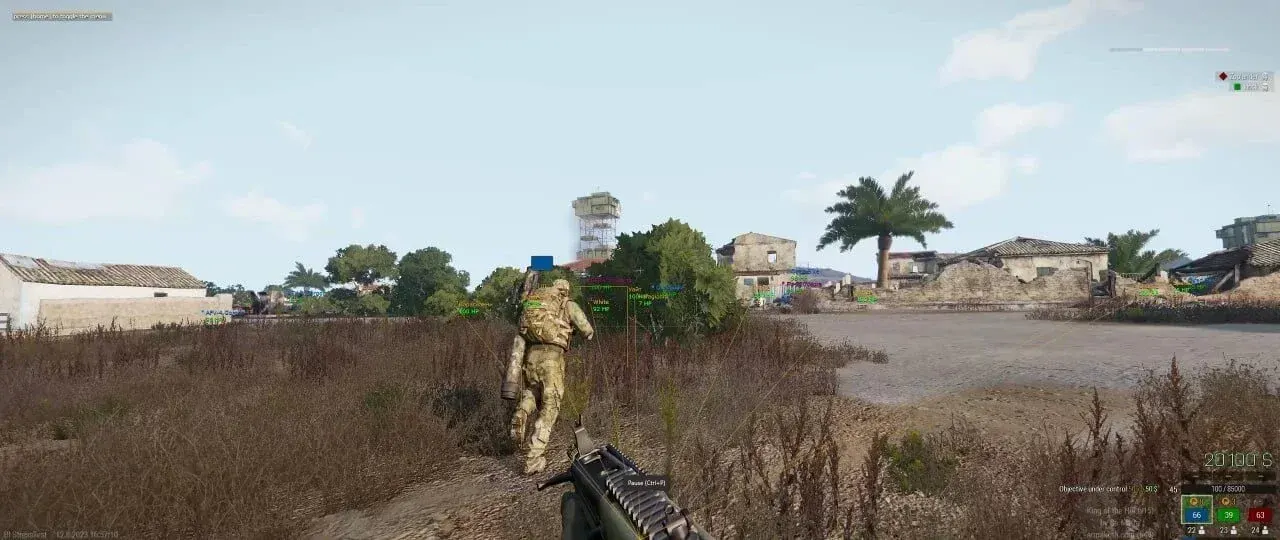
Purchase
Mason for Arma 3: system requirements
About Mason for Arma 3
Mason offers Arma 3 a combination of Silent Aim and detailed ESP for players and vehicles. It is built for BattlEye servers and supports windowed and fullscreen windowed modes.
The aim assist hits the target without moving the crosshair while the key is held down, works within a set radius and switches to the next enemy by itself. ESP shows boxes, nicknames and health of players and the distance, and splits vehicles into heavy, recon, air and water, with their name and durability. Invisible players, admins and moderators, are highlighted separately. The player nearest the crosshair can be added to a friends list, and neither ESP nor the aim will act on them. Among the extras: infinite stamina, no recoil and no sway, aspect ratio change, vehicle repair and Noclip for flying over the map.
Requirements: Windows 10 x64 or Windows 11 x64 (builds 2004–26H1), Intel or AMD, the Steam version of the game. It needs UEFI and a GPT disk, Hyper-V turned on, VT-x/VT-d enabled and Secure Boot off; the cheat does not show on streams or in OBS recordings.
Features of Mason for Arma 3
- shots land on the target while the crosshair stays where it is.
- the aim works only while the assigned key is held.
- switches the aim to the next enemy within the radius.
- the zone around the crosshair where the aimbot works.
- turns on the display of players in ESP.
- shows hidden admins and moderators.
- a square around each player.
- labels players with their nickname and shows how much health they have.
- labels which vehicle is in front of you.
- how much more damage the vehicle can take.
- tanks, UAVs, attack drones, turrets and mortars.
- jeeps, quad bikes, motorcycles and similar vehicles.
- planes, helicopters and paragliders.
- ships and submarines.
- shows the distance to each target.
- hides your teammates; on servers with a shared team, turn it off.
- the distance limit for highlighting.
- a key puts the player nearest the crosshair on the friends list, and ESP and the aim skip them; the list can be cleared.
- your character doesn't run out of breath while running.
- weapon recoil and sway no longer throw off your aim.
- changes the image proportions.
- assigns the key that opens the cheat menu.
- slows the cheat down to reduce CPU load.
- a crosshair in the center of the screen.
- draws the aim assist's activation radius.
- the silent aim hits the head or the chest, your choice.
- the aimbot ignores enemies beyond the set distance.
- restores the durability of a damaged vehicle.
- free flight over the map in which you can pick up items and kill players.
- an emergency key that switches the cheat off at once, right in the game.