Mason EFT Full cheat for Escape from Tarkov on Windows
Undetected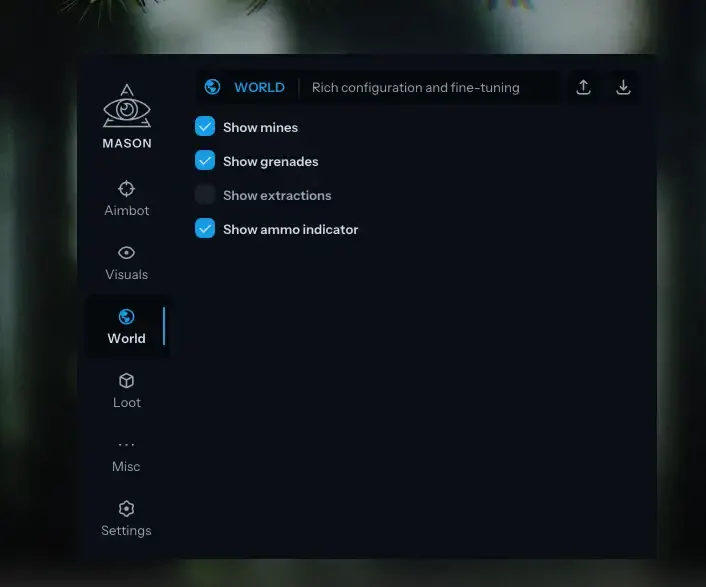
Purchase
Mason EFT Full for Escape from Tarkov: system requirements
About Mason EFT Full for Escape from Tarkov
Aimbot and Silent Aim with bone, FOV, aim height and manipulation settings. Loot ESP with price, filter and distance: containers, barter items, ammunition, provisions, and special and custom item lists.
Player ESP in Escape from Tarkov draws 2D boxes and skeletons and shows health, nickname and the current weapon. Mines, grenades and extractions get their own highlighting, and the radar can be adjusted in size and radius. Other features: No Recoil, thermal vision, Instant ADS, Noclip Gun, a binocular-style zoom, removal of the visor and of effects such as headaches and broken legs, grass removal and fast magazine loading.
The cheat is not visible on video recordings or screenshots, and the built-in HWID spoofer is optional and does not always work. The game's anti-cheat is BattlEye; supported clients are Steam and the Battlestate Games Launcher, in borderless fullscreen mode. It runs on 64-bit Windows 10 and 11, builds 2004 to 26H1, on Intel or AMD with UEFI boot and a GPT disk; Secure Boot is turned off, and Hyper-V and hardware virtualization (VT-x/VT-d) are turned on.
Features of Mason EFT Full for Escape from Tarkov
- the master switch that turns the aimbot on and off.
- aiming works only while the assigned key is held down.
- choice of the body area the aimbot aims at.
- the radius around the crosshair within which the aimbot engages.
- shows the aimbot area as a circle.
- height adjustment for aiming.
- turns on the Silent aimbot type.
- shifts the shot origin left or right, for example past the edge of a wall, so you can shoot without stepping into fire.
- sets the item price threshold for display.
- loot wallhack range.
- containers, barter items, ammunition and provisions are toggled on the ESP separately.
- a separate category whose contents are set in the user item filter.
- highlights items from your own list built in the custom filter.
- marks mines and grenades on screen.
- shows the raid extraction points.
- puts an ammo indicator on screen.
- show players; their render distance is set separately.
- 2D boxes around player figures.
- skeleton lines over player models.
- shows players' HP.
- shows player names on the ESP.
- shows players' weapons on the ESP.
- zoom on an assigned key that works like binoculars.
- turns off the helmet visor effect.
- turns off conditions such as headaches, low health and broken legs.
- turns on thermal vision mode.
- instant switch to aiming down sights.
- your weapon barrel can pass through walls.
- removes vegetation on the map.
- loads and unloads magazines quickly.
- a light mode in which the cheat uses fewer resources.
- lets you bind your own key to open the menu.
- a key of your choice turns on battle mode, which switches off the extra visuals.
- a key of your choice that turns on offline mode.
- a permanent crosshair in the middle of the screen.
- shows info about the current map.
- an on-screen radar; its size and radius are set separately.
- hides the cheat from video recordings and screenshots.
- the weapon stops kicking from recoil.
- built into the cheat as an optional extra and does not work in every case.