Desync cheat for Escape from Tarkov on Windows
Undetected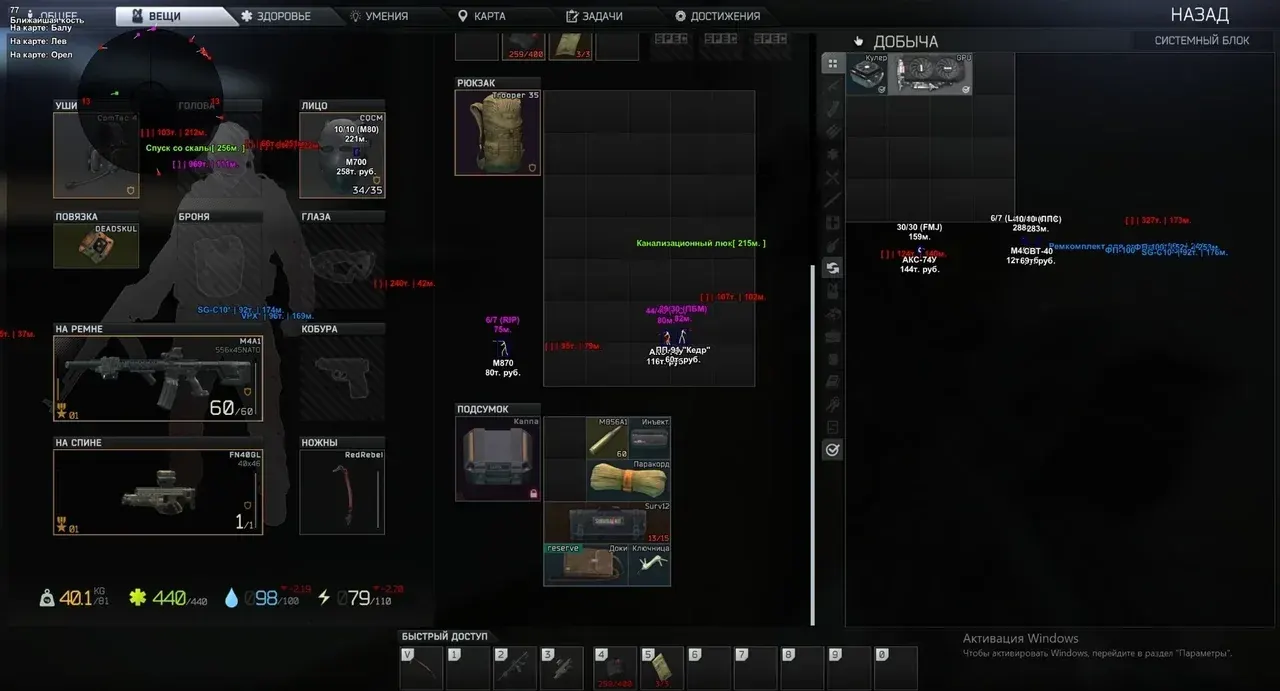
Purchase
Desync for Escape from Tarkov: system requirements
About Desync for Escape from Tarkov
Desync is a feature-rich Escape from Tarkov cheat with a built-in spoofer: aimbot, detailed ESP, radar, loot filter and a set of handy extras for PvP and PvE.
The aim supports several modes, smoothing, two keys, auto-switching after a kill and Silent Aim, and friends can be excluded. ESP shows the enemy's nickname, level, K/D, faction, armor and ammo, their inventory value, mines, grenades, sniper zones and extracts. The radar shows where players are looking and alerts you when an enemy is looking at you. Loot is sorted by price or price per slot, and FIR marks and the contents of bodies and containers are visible.
There's thermal vision, looting through walls up to 4 m, permanent daytime and fast examining, and a panic key instantly hides the visuals. Steam and the game launcher, Windows 10 and 11, hidden from OBS recording.
Features of Desync for Escape from Tarkov
- mode selection, two activation keys and aim smoothing.
- after a kill, the aim automatically moves to the next target.
- hits without visibly turning the crosshair.
- capture radius, target marker and current bone on screen.
- aims at the legs when they're closer than the other bones.
- added players are ignored by the aimbot.
- boxes, skeleton, names, distance and lines to players.
- level, K/D, faction, armor, ammo and weapon in hand.
- the enemy's inventory value.
- dangerous areas of the map.
- extract points and thrown grenades.
- highlights the enemy's head.
- a list of players in the raid.
- labels for bots.
- modes, background color, transparency, border and range.
- the radar shows where each player is looking.
- an alert when an enemy is looking at you.
- an extra crosshair, plus the amount and type of your ammo.
- no recoil, breathing or weapon sway.
- removes the helmet visor.
- infinite stamina.
- thermal and night vision.
- picking up items through walls at up to 4 m.
- colored player models.
- quest items, quest locations and hints for them.
- always daytime, only on your client.
- instant item examining.
- faster body searching.
- a manual list of the items you need.
- contents of crates, bodies and nested containers.
- the FIR mark on items.
- the full value of a weapon with attachments.
- highlights food and water when your supply drops below 15%.
- shows all keys and medical supplies separately.
- highlights the most valuable items.
- by price or price per slot, with price and distance thresholds.
- panic key, toggles for loot, thermal vision and aim bone, and cheat unloading.
- font size and type for the menu and ESP.