Fecurity Arena cheat for Escape from Tarkov on Windows
Undetected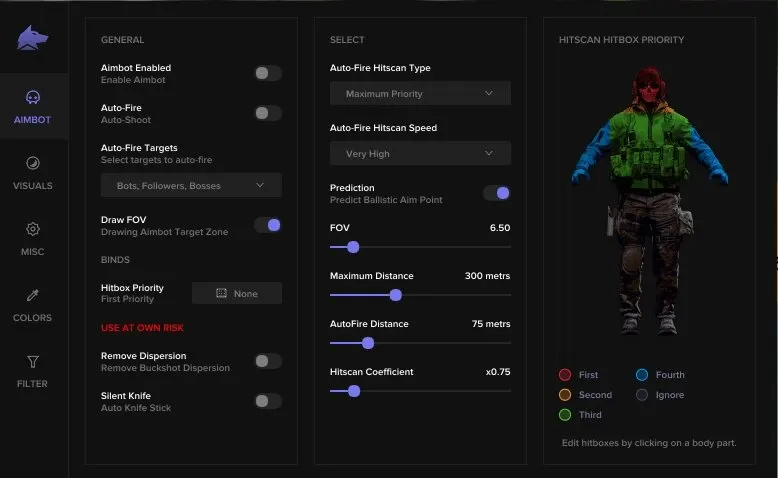
Purchase
Fecurity Arena for Escape from Tarkov: system requirements
About Fecurity Arena for Escape from Tarkov
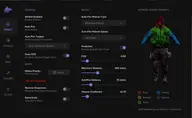
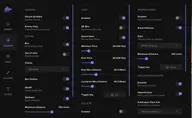
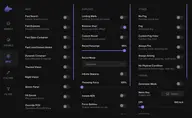
Fecurity Arena is a cheat for Escape from Tarkov: Arena where Silent Aim hits targets inside the FOV without moving the crosshair. The aim works on press or hold, only on enemies or visible targets, with prediction, hitbox priority and a preview window; Silent Melee attacks in close combat, and weapon spread is removed.
The wallhack on opponents shows boxes, skeleton, health bar, nickname, weapon, level, K/D and hours played, and arrows point to those outside your field of view. Dropped weapons and gear, bullet tracers and grenades with a timer are visible. Matches are accepted automatically, and when a match ends the cheat leaves on its own and starts a new search.
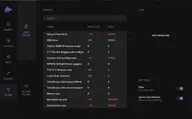
Only Intel processors are supported, and the systems are Windows 10 or 11 (21H2–25H2). The modes are windowed and borderless, and the clients are Steam and BSG. The cheat has no spoofer of its own, and no USB flash drive is needed.
Features of Fecurity Arena for Escape from Tarkov
- turns auto-aim at players on or off.
- bullets hit the target within the FOV radius without your crosshair moving.
- aimbot mode and aim activation keys.
- aim at enemies only.
- aim only at visible targets (not behind cover).
- predicts target movement while aiming.
- aimbot working area (radius).
- shows the FOV as a circle.
- FOV zone type (static, dynamic).
- removes weapon spread.
- automatic silent melee attacks.
- maximum aimbot range.
- choose the body part the aimbot aims at.
- lets you choose priority body parts for the aim.
- visual display of hitboxes in a separate window.
- shows players through walls with ESP.
- ESP frame around players (boxes).
- skeleton ESP on player models.
- indicators for players outside your field of view (arrows).
- shows player health as a bar.
- shows the distance to players.
- maximum distance for the player wallhack.
- shows the player's nickname.
- the weapon players are currently holding.
- shows the player's current K/D.
- hours played.
- shows the character's level.
- shows dead players' bodies.
- shows weapons dropped on the ground.
- shows gear dropped on the ground.
- turns on bullet tracers.
- tracer filter (yours, enemies', allies').
- shows grenades (timer until explosion, distance).
- removes jump delay.
- turns on high jump.
- jump height setting.
- infinite stamina.
- changes throw strength.
- instant aiming.
- removes character inertia.
- removes weapon misfires.
- lets you shoot without restrictions.
- permanent aiming mode.
- turns off the character's physical limits.
- recoil compensation settings.
- ammo info panel.
- a dynamic crosshair in the center of the screen.
- turns on thermal vision.
- turns on night vision.
- removes the visor effect.
- changes the time of day.
- third-person view.
- removes fog.
- changes the field of view.
- automatically accepts a found match.
- automatically starts searching for a new game after the current one ends.
- automatically leaves a finished match.
- choose units (meters or feet).
- lets you bind your own key to open the cheat menu.
- lets you customize colors for all visuals in the cheat.
- ESP element opacity setting.