SMG Private Software cheat for Escape from Tarkov on Windows
Undetected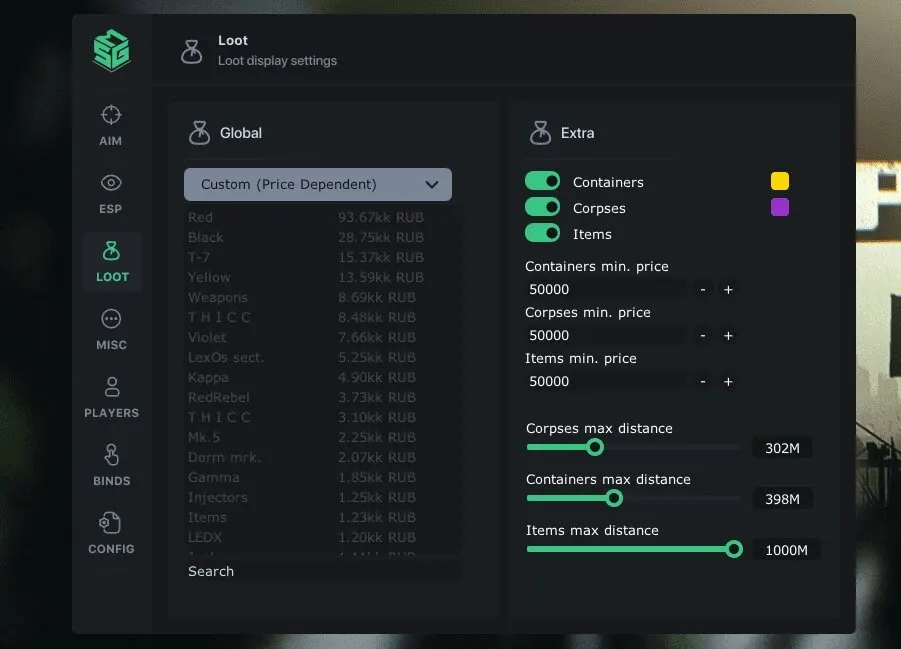
Purchase
SMG Private Software for Escape from Tarkov: system requirements
About SMG Private Software for Escape from Tarkov
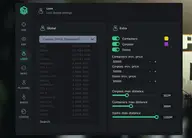
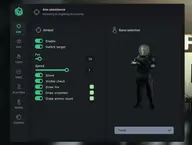
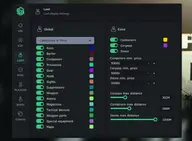
SMG Private Software is a cheat for Escape from Tarkov (EFT) whose main feature is detailed loot ESP. Items show their name, icon, value and distance, there is a minimum price filter, and items not sold on the Flea Market and your own custom entries get a separate color. There is also Silent Aim with aiming settings and a player wallhack.
Containers can be limited to an "untouched only" mode, and corpses show a title, an icon and the value beneath it. Quest items and quest zones are highlighted separately. The filter splits loot into keys, barter items, provisions, gear and meds.
Requirements: Windows 10 (21H2–22H2) or 11 (21H2–23H2), Intel and AMD excluding Xeon, windowed or borderless mode, and the Battlestate Games launcher or Steam. An HWID spoofer is built in, and there is no need to plug in a USB flash drive; the cheat will be visible in OBS recordings.
Features of SMG Private Software for Escape from Tarkov
- Adds the "Items" category to the loot filter, so the items you need are found faster.
- The "Minimum price" setting controls the matching product parameter.
- Adds the "Dark background on items" category to the loot filter so you can find the items you need faster.
- "Distance to items" shows the distance to the marked target or object.
- Adds the "Item price" category to the loot filter, so the items you need are found faster.
- Adds the "Item name" category to the loot filter so you can find the items you need faster.
- Adds the "Item icon" category to the loot filter so you can find the items you need faster.
- The "Non-Flea items (color picker)" setting controls the corresponding product option.
- "Max distance" shows the distance to the marked target or object.
- The "Custom items (color picker)" setting controls the corresponding product option.
- Adds the "Containers" category to the loot filter, so the items you need are found faster.
- The "Untouched only" setting controls the corresponding product option.
- Adds the "Dark background on containers" category to the loot filter so you can find the items you need faster.
- "Distance to container" shows the distance to the marked target or object.
- Adds the "Container icon" category to the loot filter so you can find the items you need faster.
- The "Hide icon contents" setting controls the corresponding product option.
- "Distance under icon" shows the distance to the marked target or object.
- Adds the "Items: Corpses" category to the loot filter so you can find the items you need faster.
- The "Dark background on corpses" setting controls the corresponding product option.
- "Corpse title" adds a separate head marker on the target so you can read its position more precisely.
- The "Corpse icon" setting controls the corresponding product option.
- The "Collapse contents into an icon" setting controls the matching product parameter.
- The "Price under icon" setting controls the corresponding product option.
- "Set a custom title" adds a separate head marker on the target so you can read its position more precisely.
- Adds the "Items: Other" category to the loot filter so you can find the items you need faster.
- Adds the "Quest items (color picker + extra settings)" category to the loot filter so you can find the items you need faster.
- The "Quest zones (color picker + extra settings)" setting controls the corresponding product option.
- Adds the "Loot location (color picker + extra settings)" category to the loot filter so you can find the items you need faster.
- Adds the "Items: Filter" category to the loot filter so you can find the items you need faster.
- The "Mode (Custom/Custom (price)/Custom prices)" setting controls the corresponding product option.
- The "Keys" setting controls the corresponding product option.
- The "Barter" setting controls the corresponding product option.
- The "Provisions" setting controls the corresponding product option.
- The "Gear" setting controls the matching product parameter.
- The "Medical" setting controls the corresponding product option.