Hyper cheat for PUBG: Battlegrounds on Windows
Undetected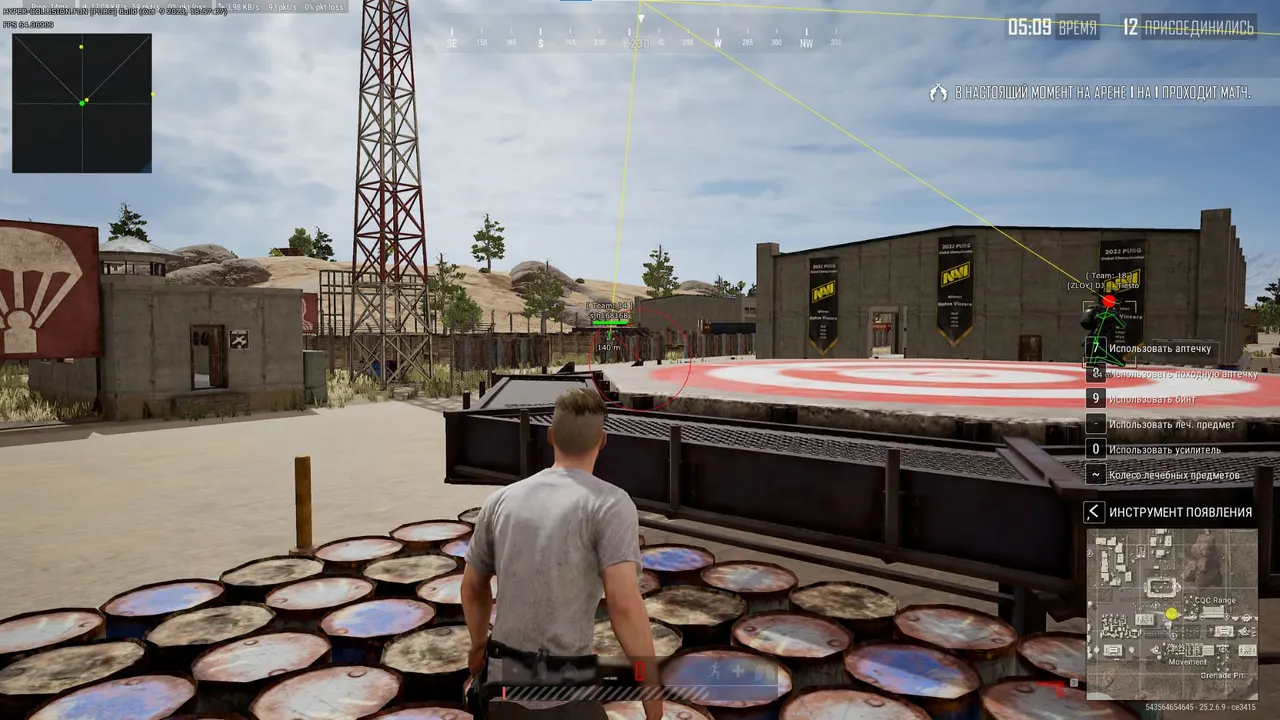
Purchase
Hyper for PUBG: Battlegrounds: system requirements
About Hyper for PUBG: Battlegrounds
Hyper is a cheat for PUBG: Battlegrounds with a choice of two aimbot types, Memory and Mouse. Aiming is turned on with its own key and works with a visibility check and a line to the target; FOV, smoothness and bone are adjustable. The built-in Recoil Control reduces recoil while shooting.
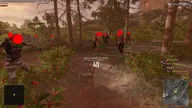
The player wallhack draws 2D, 3D or corner boxes, a skeleton with a head marker, lines, team, distance and health, shown as a bar on top, on the side or as a number. There is a tactical radar with zoom and a spectator list. Loot ESP marks armor, helmets, medkits, boosts, weapons, melee weapons, ammo and backpacks.
Compatible with Windows 10 and 11 (Pro and Home, all versions), Intel and AMD, windowed or borderless mode, Steam. BIOS must be in UEFI mode (Legacy will not work), and Secure Boot must be turned off. The spoofer is built in and no USB flash drive is needed; the cheat is not hidden from OBS recordings.
Features of Hyper for PUBG: Battlegrounds
- Helps you track the selected target more precisely based on your aim settings.
- The "Enable" setting controls the matching product parameter.
- The "Memory Type Aim" setting controls the matching product parameter.
- The "Mouse Type Aim" setting controls the matching product parameter.
- The "Visible Check" setting controls the matching product parameter.
- "Target Line" — draws a guide line to the marked target or object.
- Sets the size and maximum range of the selected module's working area.
- Adjusts aim smoothness for more natural crosshair movement.
- Lets you assign a convenient key to turn on aiming during a fight.
- The "Bone Select" setting controls the matching product parameter.
- Reduces recoil and helps keep your weapon steadier while firing.
- The "Visual" setting controls the matching product parameter.
- The "Spectators" setting controls the matching product parameter.
- Shows the distance to the marked target or object.
- The "Team" setting controls the matching product parameter.
- The "HP Top" setting controls the matching product parameter.
- The "HP Left" setting controls the matching product parameter.
- The "HP Text" setting controls the matching product parameter.
- Shows the target's skeleton so you can read its position and movement faster.
- Adds a separate head marker to the target so you can read its position more precisely.
- "2D Box" — marks the target with a visual box so you spot it on screen quickly.
- "3D Box" — marks the target with a visual box so you spot it on screen quickly.
- Outlines the target with a corner box and keeps the screen readable while you move.
- "Line" — draws a guide line to the marked target or object.
- "Radar" — puts nearby targets on a radar and makes it easier to watch every direction.
- "Radar scale" — puts nearby targets on a radar and makes it easier to watch every direction.
- Adds the "ESP loot" category to the loot filter, so the items you need are found faster.
- The "Armor" setting controls the matching product parameter.
- The "Heal" setting controls the matching product parameter.
- The "Boost" setting controls the matching product parameter.
- The "Helmet" setting controls the matching product parameter.
- The "Weapon" setting controls the matching product parameter.
- The "Melle Weapon" setting controls the matching product parameter.
- The "Ammo" setting controls the matching product parameter.
- The "Backpack" setting controls the matching product parameter.