Bleak Lite cheat for PUBG: Battlegrounds on Windows
Undetected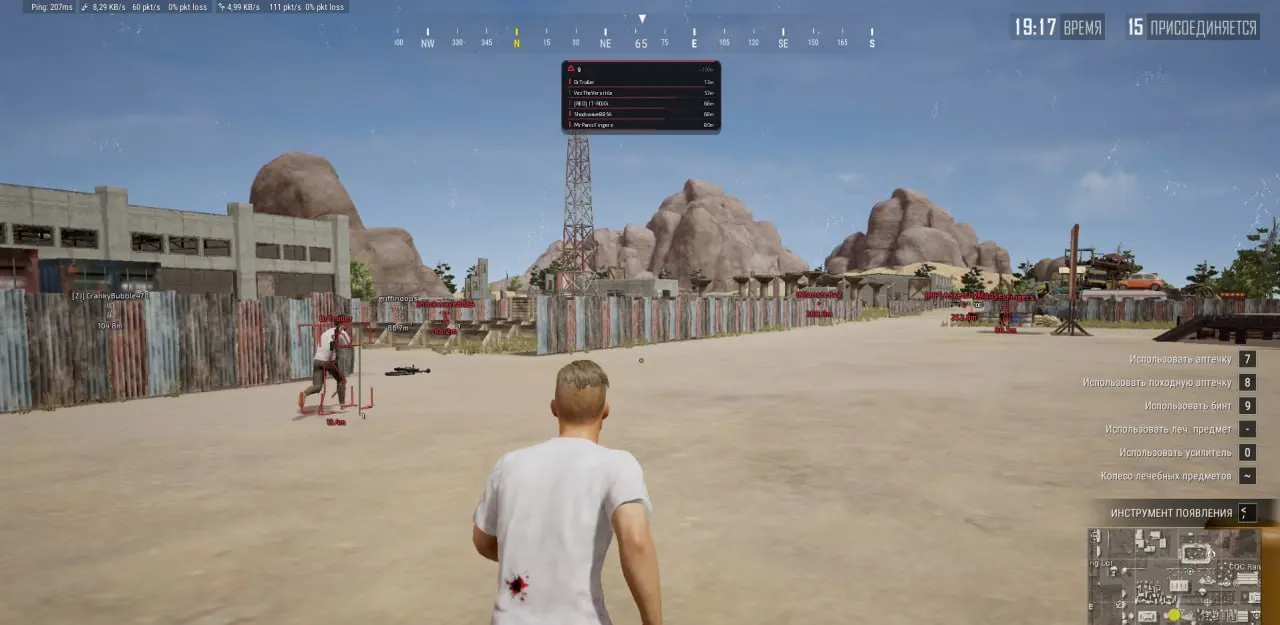
Purchase
Setup instructions
Bleak Lite for PUBG: Battlegrounds: system requirements
About Bleak Lite for PUBG: Battlegrounds
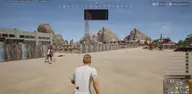
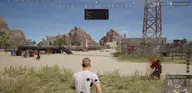
Bleak Lite is a lightweight version of Bleak for PUBG: Battlegrounds that keeps only player wallhack, with no aimbot, loot or radar. Boxes can be full, corner or 3D, skeleton thickness is adjustable, and nicknames, distance, health with a last-damage marker, kills per match, damage dealt and survival level are displayed.
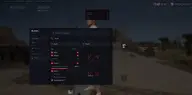
Knocked players are highlighted in a separate color. A danger warning at the top of the screen counts enemies within 200 m and shows the five closest. Render distance is up to 1000 m, and ESP fades out smoothly near its edge. The menu is in Russian and English, with a live preview of settings.
Requires Windows 10 or 11 (2004–26H1) and the Steam client. Rendering goes through a third-party overlay and works with Secure Boot enabled, but Windows Defender, virtualization-based security and core isolation must be turned off.
Features of Bleak Lite for PUBG: Battlegrounds
- Choose the box type around enemies: Full, Corner, 3D Box or None (off).
- Shows in-game names above players' heads.
- Turns on the enemy skeleton display.
- Skeleton line thickness slider (1-5).
- Shows the distance to the target in meters.
- Player draw distance in meters (0-1000; 0 - no limit). Right at the distance limit the ESP fades out smoothly and the text gets smaller, so the picture stays clean. Enemies farther away are not drawn and do not load the read channel.
- Turns on the player health bar (a vertical bar to the right of the box, with a white "ghost" of the last damage so you can see how much you took off).
- Shows the player's kill count in the current match (K) to the right of the box.
- Shows extra info: damage dealt (DMG) to the right of the box and survival level (LV) under the name.
- Warning panel for nearby enemies: a count of enemies within 200m and a list of up to 5 nearest ones (name, distance bar, K/DMG). Shown at the top center of the screen.
- Downed (knocked) players are highlighted in a separate color across all ESP elements, so you instantly see who to finish off.
- Live preview of your ESP setup right in the menu (box, skeleton, name, level, distance, health bar).
- Color 2D Box — Color of the box around an enemy.
- Box (not visible) — Box color for the "not visible" rendering variant.
- Color Bone — Color of the skeleton lines.
- Skeleton (not visible) — Skeleton color for the "not visible" variant.
- Color Name — Color of the player's nickname.
- Name (not visible) — Nickname color for the "not visible" variant.
- Color Distance — Color of the distance text.
- Menu accent (theme) color.
- When you close the game (TslGame.exe), the cheat shuts down completely with it: the overlay disappears and the Discord process closes. No active traces of the cheat remain on your PC.
- Overlay FPS limit (0-360): raise it for smoother ESP.
- On-screen watermark.
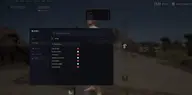
- Menu language: English / Russian (all menu items and item names are translated).
- Search bar for all menu features (in the header).
- Open and close the menu with the Insert or Home key.
- Input Name — Field for entering the name of your new config (the Lite build name is filled in by default).
- Create New — Create and save a new config file with the entered name.
- Save Selected — Overwrite the config with the entered name using the current menu settings.
- Load Selected — Load settings from the config selected in the list (applies them to the current session).
- Rename — Rename an existing config selected in the list.
- Delete — Permanently delete the selected settings file.
- Refresh List — Force-refresh the config list (useful if files were moved manually).
- Config list — Shows all saved configs; the applied one is marked with an ACTIVE badge, and double-clicking a row loads the config instantly. The last active config is picked up automatically on the next launch.