
Escape from Tarkov
WR-C Private cheat for Escape from Tarkov on Windows
Undetected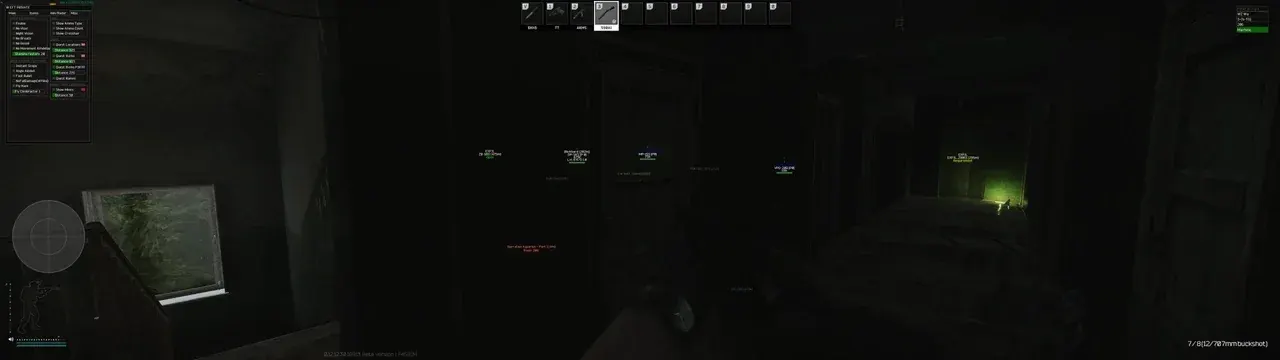
01 / 04
Purchase
WR-C Private for Escape from Tarkov: system requirements
Game mode
All
Processors
Intel and AMD
Systems
Windows 10, 11 (1903, 1909, 2004, 20H2, 21H1, 21H2)
Built-in Spoofer
No
USB drive
No
Additional requirements
Anti-cheat: BattlEye. Hidden from OBS recording: yes. The menu opens with the Insert key.
About WR-C Private for Escape from Tarkov
WR-C Private for Escape from Tarkov combines an aimbot, player and loot ESP, and several visual enhancements.
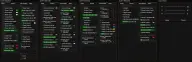
The aimbot is configured by visible-target priority, bone, FOV radius and smoothing — separately for the X and Y axes. ESP shows players, bots and bodies with boxes, skeleton and distance, and loot is split into categories: medical, weapons, mods, clothing, food, valuables and quest items. There is also thermal vision, visor effect removal, a custom crosshair and RGB colors for any element.
Supports Windows 10 and 11 (builds 1903–21H2) and any window mode. The cheat is not visible in OBS recordings; there is no built-in spoofer, and the menu opens with the Insert key.
Features of WR-C Private for Escape from Tarkov
Show Players and Show Bots
- displays players and bots.
Show Corpse
- displays bodies.
Boxes and skeletons
- boxes and skeletons around targets.
ESP Distance
- distance to targets and render distance.
Show Items
- items on the map.
Loot categories
- medical, weapons, mods, clothing, food, valuables and quest items.
Thermal Vision
- thermal vision effect.
Remove Visor Effect
- removes the visor effect.
Crosshair
- custom crosshair with adjustable size.
Font Size
- ESP font size.
Prioritize Visible Targets
- the aim prioritizes visible targets.
Target Bone
- choose the body part for the aimbot.
Aim FOV
- target acquisition radius.
Aim Smooth
- overall aim smoothing, plus separate settings for the X and Y axes.
Colors
- any cheat element can be recolored in RGB.
Menu on Insert
- opens and closes the menu with the Insert key.
Undetected
Escape from Tarkov
Lovec Radar
From 400 ₽
Undetected
Escape from Tarkov
NNCheats
From 299 ₽
Undetected
Escape from Tarkov
NNCheats Radar
From 350 ₽
Undetected
Escape from Tarkov
Authority Full
From 500 ₽
Undetected
Escape from Tarkov
Authority Lite
From 400 ₽
Undetected
Escape from Tarkov
Medusa Rage
From 650 ₽
Undetected
Escape from Tarkov
Medusa Lite
From 500 ₽
Undetected
Escape from Tarkov
Sky
From 350 ₽