Hardware bans and HWID spoofers: what they are and how they work
Contents7 sections
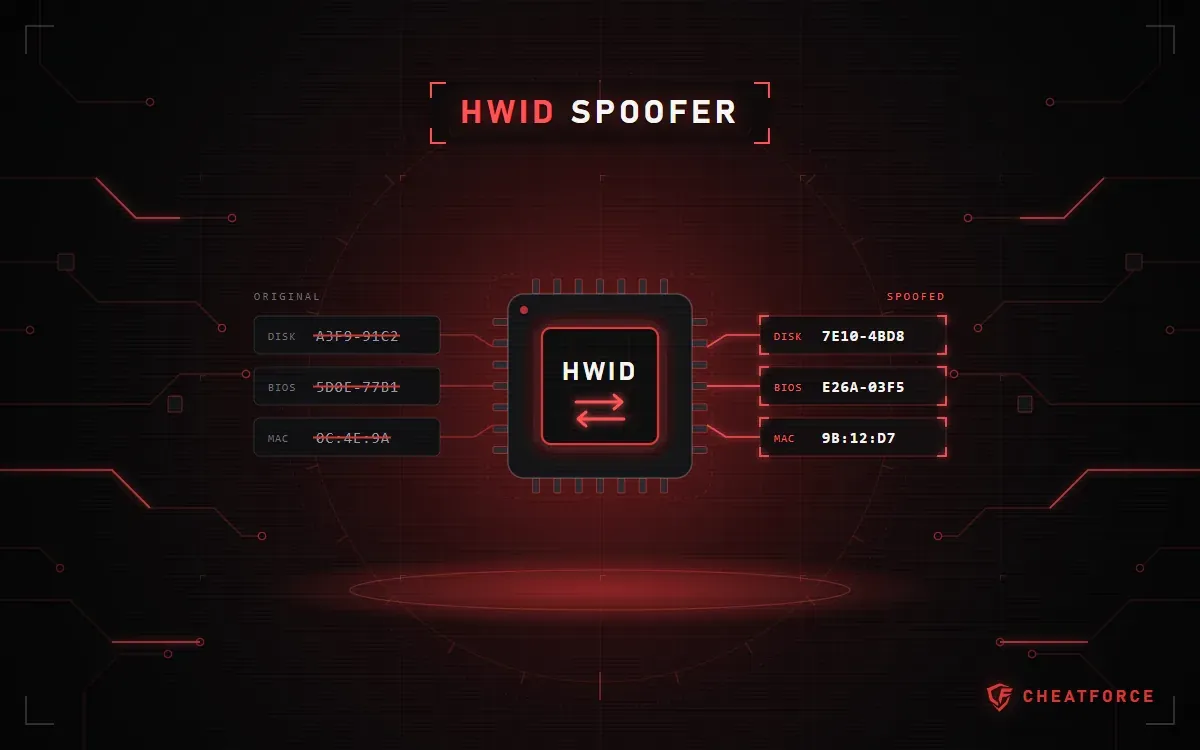
An HWID spoofer is a program that changes your computer's hardware identifiers so the game and anti-cheat see it as a different device. It deals only with hardware bans: a spoofer doesn't lift an account ban and doesn't protect you from a new one.
Below: how to tell an HWID ban from an account ban and from an ordinary launch error, what the spoofers in our catalog change, what temp and perm mean, and what to check on the product page before you pay.
What is HWID and what is a hardware ban?
HWID (hardware ID) is a set of component identifiers: drive serial numbers, the system UUID and motherboard data from the BIOS, network adapter MAC addresses, and sometimes CPU, GPU and USB device info. Software uses it to tell one computer from another.
An account ban locks the account on any computer. A hardware ban (HWID ban) is tied to the machine: the anti-cheat remembers its identifiers, and other accounts on it can get banned too, including new ones. These are different bans, but they can come at the same time.
A spoofer only deals with the second one: it changes what the computer is recognized by and has no access to the account.
Account ban vs hardware ban vs launch error
When the game won't let you in, first read exactly what it says and save a screenshot. The wording tells you which row of the table applies and whether a spoofer will help.
| Situation | What's blocked | What the spoofer does |
|---|---|---|
| Account ban | The account | Doesn't lift the ban |
| Hardware ban (HWID ban) | The computer | Changes the PC's identifiers |
| Both bans at once | Account and computer | The account stays banned |
| Launch error | Nothing | Won't help |
An account ban can only be appealed through the game's own support. If the screen shows a loader error code, the hardware isn't the problem: see the article on what to do if a spoofer or cheat won't launch.
What a spoofer changes: a catalog example
What exactly gets spoofed is shown only in the "Cheat features" section, and the lists differ noticeably from one spoofer to another.
BE Spoofer
BE Spoofer for BattlEye is made for Escape from Tarkov and DayZ. Its product page lists:
- Disk Serials — drive serial numbers;
- BIOS UUID — the system UUID and BIOS fields;
- MAC — network adapter addresses;
- Registry — registry entries tied to hardware identification;
- USB — identifiers of connected USB devices;
- Cleaner — a cleaner included in the package.
TitanX Spoofer
TitanX Spoofer for EAC games covers more components. According to its product page, it affects drives (serial numbers, model, firmware), GPT and MBR partitions, NVMe NGUID and EUI64, Volume Serial, SMBIOS, motherboard, CPU and GPU data, and MAC addresses.
Compare the lists line by line: if you have an NVMe drive, for example, check that it's mentioned in the features.
Temp vs perm: temporary and permanent spoofing
Temp (temporary) spoofing lasts until a reboot: after Windows restarts, the computer reports its original identifiers again. Perm (permanent) spoofing persists after a restart.
This is a property of the spoofing, not a plan. A plan is the term of access on your key: for BE Spoofer it's 1, 7 or 30 days. If a spoofer plan lists activations or "Lifetime", check with support before paying what it covers.
The BE Spoofer and TitanX product pages don't name the spoofing type. BE Spoofer's page says it runs before the game starts and requires a reboot; the BE Spoofer instructions add that without a reboot the new identifiers won't apply. That doesn't answer "temp or perm" — ask support.
Standalone spoofer or one built into the cheat
The "System requirements" section of every product page has a "Built-in Spoofer" field: "Present" or "Absent". For a cheat, it shows whether HWID spoofing is part of the product. Standalone spoofers also say "Present" there — the product itself is the spoofer.
Catalog examples: Ancient Chams with a built-in spoofer lists HWID Spoofer among its features, and Ancient for PUBG lists Built-In Spoofer. Both product pages have the field marked "Present".
A built-in spoofer works together with its own cheat. A standalone one is a separate product with its own key, built for a specific anti-cheat. If a cheat has no built-in spoofer, ask support whether the cheat and a standalone spoofer are compatible before buying both.
Compatibility: what to check before you pay
Under the terms of sale, the seller doesn't guarantee that the program is compatible with specific hardware or a specific Windows version, so check everything before you pay. The general steps are in the article on how to check compatibility before buying; for a spoofer, add these points.
- Game and anti-cheat. BE Spoofer is listed for BattlEye (Escape from Tarkov and DayZ), TitanX for EAC games: its page names Rust, Fortnite, Apex Legends, War Thunder, SCUM and others. Support for one anti-cheat says nothing about another.
- Windows. BE Spoofer — Windows 10 or Windows 11, versions 1909–25H2. TitanX — only Windows 11 Pro 24H2 or 25H2; no other editions are listed in the requirements.
- Motherboard and BIOS. The product pages don't list motherboard models. System Checker collects your Windows version, BIOS and drive data, Secure Boot, TPM and virtualization status, and a list of installed anti-cheats. With that report, it's easier to check compatibility with support.
- Reboot and USB. According to its page, BE Spoofer requires a reboot. Also look at the "USB drive" field: the description of the "err 4" error in "Known issues" says the EAC version of HWID Spoofer must be launched only from a USB drive.
- Status. Spoofers have one too, and it reads the same as for cheats: while it says "Being updated", you can't buy the product. Read more in the article on statuses and ban risk.
- Key and plan. Access term, days or activations, and whether the product page has an "Instructions" button. No instructions? Ask about the launch requirements in advance.
What a spoofer doesn't do
- It doesn't unban your account or bring back items, progress or in-game purchases.
- It doesn't hide the cheat from the anti-cheat: changing identifiers doesn't change how the cheat itself works.
- It doesn't guarantee a new account won't get banned. The FAQ on installing and launching cheats answers the ban question the same way: no one can completely rule out a ban.
The store's limits of liability are set out in the terms of sale. Support doesn't restore banned game accounts. If you get banned because of a program, the money for it isn't refunded, and lost accounts and items aren't compensated. By paying for a product, you accept the ban risk.
Important. A refund is only possible for a product that didn't work, and only after the full diagnostics support asks for. Some developers offer no refunds at all. The terms are on the warranty and refunds page.