Mason Void cheat for PUBG: Battlegrounds on Windows
Updating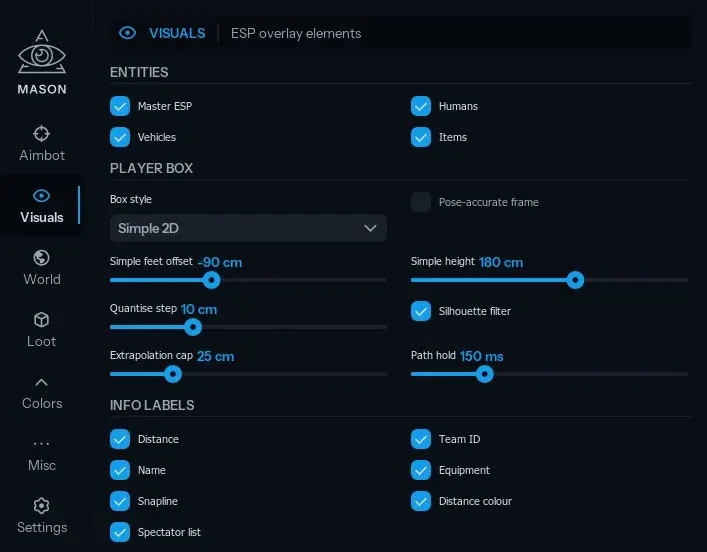
MASON VOID is being updated: the developer is releasing a new version. Sales resume as soon as it is out.
Ask about timingMason Void for PUBG: Battlegrounds: system requirements
About Mason Void for PUBG: Battlegrounds
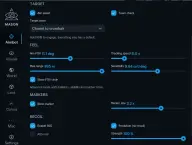
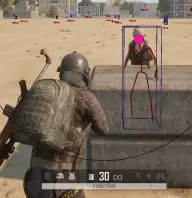
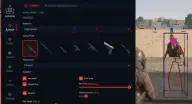
The Mason Void cheat for PUBG: Battlegrounds on Steam opens its menu with the Insert key. The aim targets a chosen bone or the body area closest to the crosshair and skips teammates; FOV, tracking speed, range and sensitivity are adjustable. RCS compensates recoil with adjustable strength, and it can be switched to a predictive mode and limited to aiming down sights.
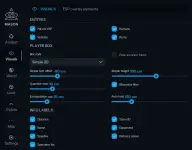
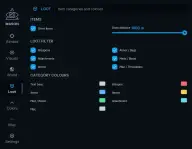
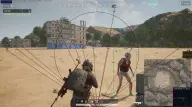
Player ESP includes a 2D box or a pose-accurate frame, skeleton, name, Team ID, equipment, distance and a snapline to each player, and enemy colour depends on range. Vehicles show durability and fuel, and loot is split into weapons, armour with backpacks, attachments, meds, ammo and throwables, each group with its own colour.
There is also a spectator panel, blue zone info, your own coordinates, FPS, performance profiles, a render-rate limiter and reduced load when idle. It runs in windowed mode on Windows 11 (21H2–23H2) or 10 (2004–22H2) with an Intel or AMD processor, and the listed anti-cheat is BattlEye. The visuals do not show up in recordings or screenshots, and no USB drive is needed.
Features of Mason Void for PUBG: Battlegrounds
- automatically moves the crosshair onto an enemy and skips teammates.
- a chosen bone or the body area closest to the crosshair.
- the capture radius and the maximum aim distance are set by hand.
- tracking speed and aim sensitivity are set separately.
- the aim radius and a marker on the chosen bone are drawn on screen; the marker size is adjustable.
- compensates recoil with adjustable strength, optionally only while aiming down sights.
- a separate predictive recoil compensation mode.
- a master switch for drawing players, vehicles and items.
- a simple 2D box or a frame that follows the model's pose; height, feet offset and thickness are adjustable.
- positioning step, silhouette filter, extrapolation cap and path hold time.
- name, Team ID, equipment and distance, each toggled separately.
- a line to each player, with an adjustable colour.
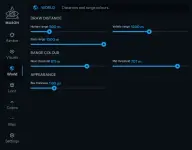
- enemies get different colours at near, mid and far range; the zone thresholds are adjustable.
- base text size, how much it grows with distance and the cap on that growth.
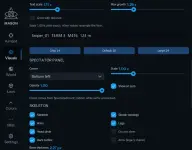
- arm and leg bones, a head circle, a ground stem and a dark outline; line thickness is adjustable.
- a panel of who is spectating you; screen corner, size and opacity are adjustable, and the panel can stay on screen with no spectators.
- a separate distance limit for players, vehicles and loot.
- a vehicle box and label, a colour-coded durability indicator and a fuel bar.
- weapons, armour and backpacks, attachments, meds and boosts, ammo, throwables and other items.
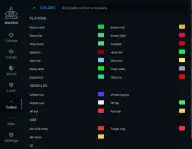
- a separate text colour for each item group.
- custom colours for enemies, teammates, skeletons, head and joint dots, boxes and labels.
- adjustable colours for the FOV circle, the target ring and the chosen bone.
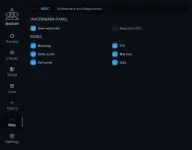
- blue zone info, your own coordinates and a clock.
- a watermark and a HUD with FPS and a count of detected entities.
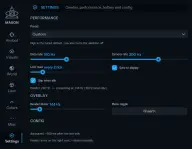
- presets, data, camera and loot read rates, sync to display, a render limiter and reduced load when idle.
- menu on Insert, autosave, manual save and config reload.